01 Build sequence
Play back the build
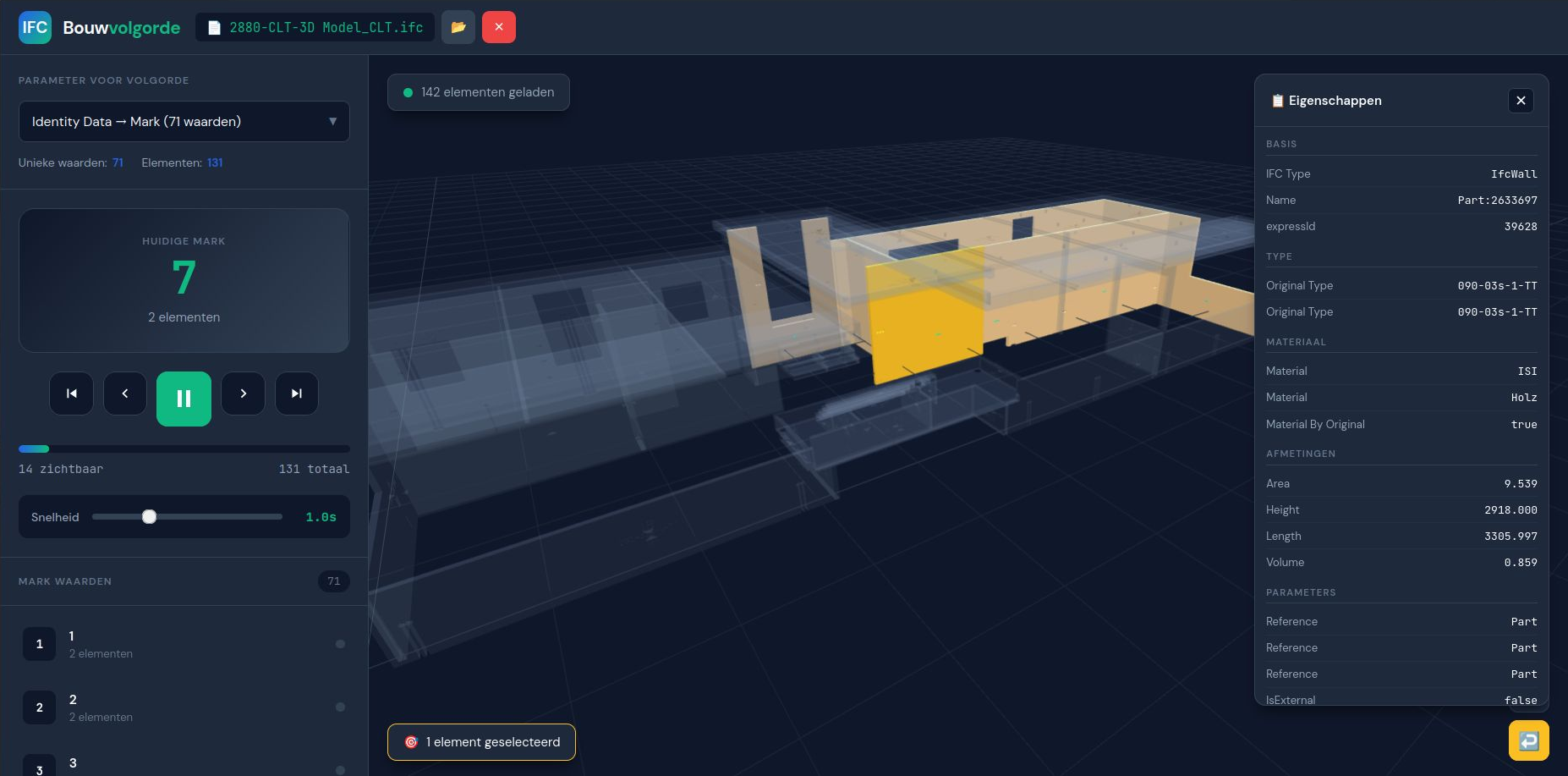
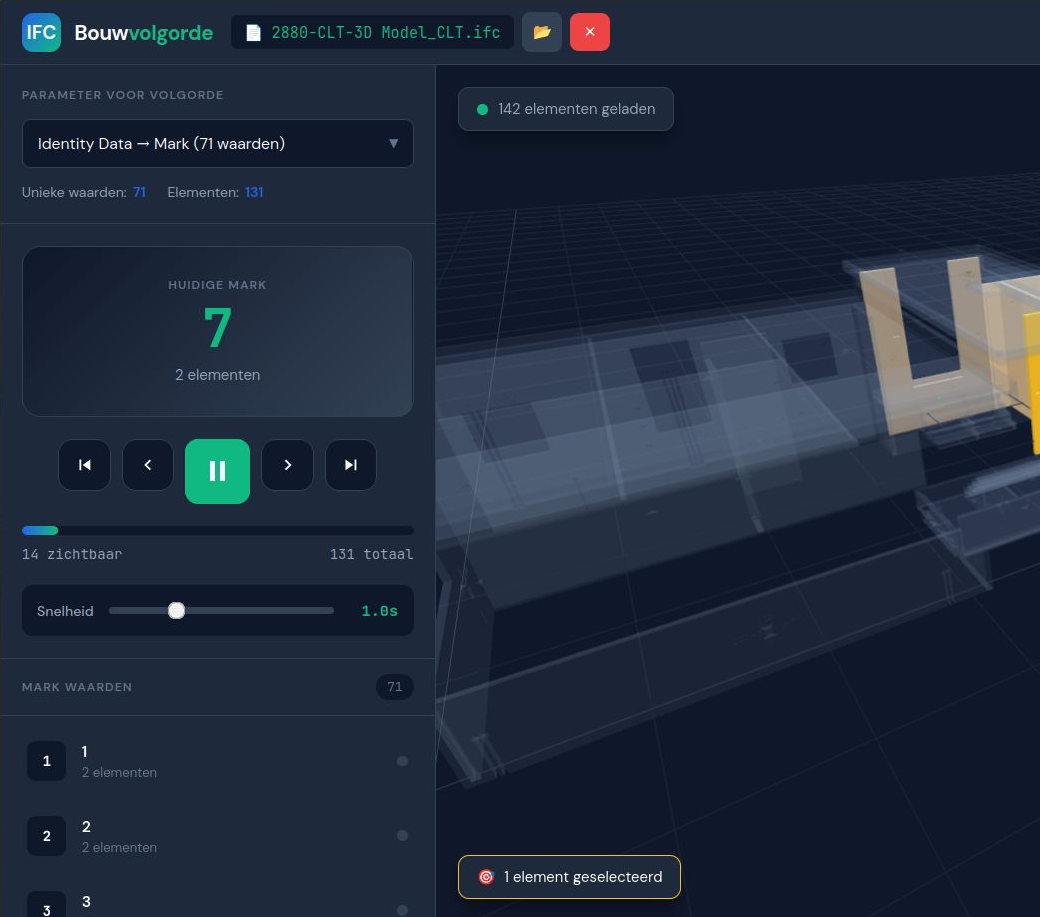
Press play and the model grows step by step. What has been built is shown; what is still to come stays transparent. Pause, step back or forward and set the speed.
BIM and IFC viewer
Watch your model appear step by step, in the order it is built
Open an IFC file, choose which parameter sets the order and play back the build sequence. Click an element for all its properties, or isolate and hide what you don't need.
Local and without an account: the app reads your IFC file on your own computer. Nothing is uploaded.
Features
Start with the highlights or pick a topic.
01 Build sequence
Press play and the model grows step by step. What has been built is shown; what is still to come stays transparent. Pause, step back or forward and set the speed.
02 Order
Choose an IFC parameter, such as Mark. The viewer groups the elements per value, puts the values in order and shows how many elements belong to each step.
03 Properties
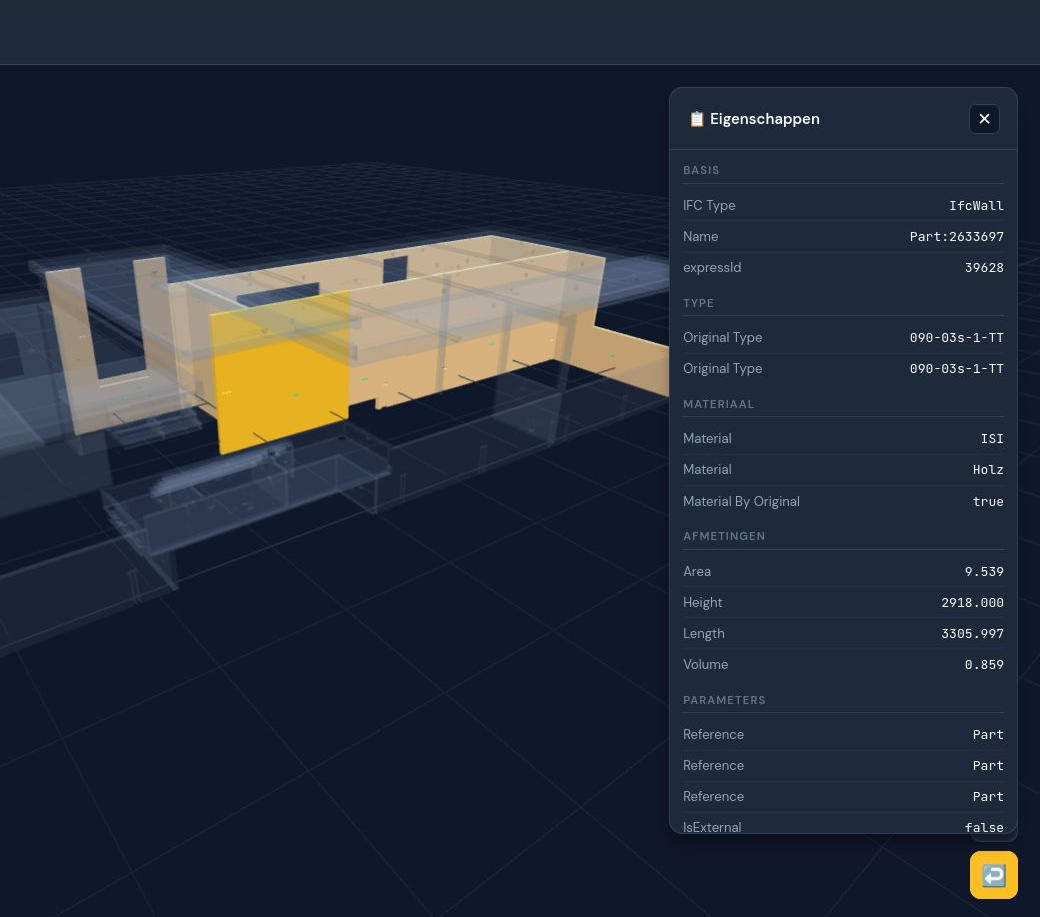
Click an element and it lights up. The panel shows the IFC type, the material, the dimensions and all parameters of that element.
04 Viewing
Open several IFC files and switch between them with tabs. Isolate or hide elements from the context menu and reset the view with Esc.
First, previous, play, next and last step, with a progress bar that counts how many elements are already visible.
Choose which IFC parameter sets the order, with the number of unique values and elements alongside.
Use a slider to set how long each step stays on screen.
Space, arrow keys, Home and End for the build sequence, Esc to reset the view.
Drag an IFC file into the window or pick it with the file picker.
Orbit, pan and zoom around the model, or zoom to the whole model in one click.
IFC type, material, dimensions and parameters of the element you click.
Use the context menu to show only the selected elements, hide them or show everything again.
Open several IFC files at once and switch between them with tabs.
Dutch or English, in a dark, light, blue or high-contrast theme.
Download
Free, no account needed. For Windows, macOS and Linux.
Monty IFC Viewer is a desktop app. Download it on your Windows PC, Mac or Linux computer.
There is no download for Macs with an Intel processor.
New in v1.0
Monty IFC Viewer is now an app for Windows, macOS and Linux. You open several models in it, choose your own theme and language, and your IFC file stays on your own computer. The full list is in the release notes.
Installers for Windows, macOS and Linux, also as a .snap.
Open several IFC files and switch between them.
Elements get a colour based on the chosen parameter.
Isolate, hide and show all with the right mouse button.
Dark, light, blue or high contrast, in Dutch or English.
In v1.0.2 the app got its new, approved logo.
Nothing. The viewer is free and open source, under the LGPL-3.0 licence. No subscription and no account.
You choose an IFC parameter, such as Mark. The viewer groups the elements per value and puts those values in order. Press play and the model grows step by step, at the pace you set.
No. The app reads the IFC file on your own computer. Nothing is uploaded.
Yes, on a Mac with an Apple processor (M1 or newer). There is no download for Macs with an Intel processor.
Space plays and pauses, the arrow keys go a step back or forward, Home and End jump to the first and last step, and Esc resets the view.
Dutch and English, with a dark, light, blue or high-contrast theme.
A web version for sharing a model through a link is in development. To view your own IFC file now, use the app for Windows, macOS or Linux.
For those who want to know how it is built.
A thin native shell in Rust, with an installer of a few megabytes.
A fast, reactive interface.
The 3D engine that brings the model to the screen interactively.
Reads IFC files, as WebAssembly inside the app itself.