OpenAEC Ecosystem
The Everything-app for your business — email, ERP, invoices, time tracking, projects, communication and more in a single tool. Multi-tenant: one account, multiple ERPNext instances.
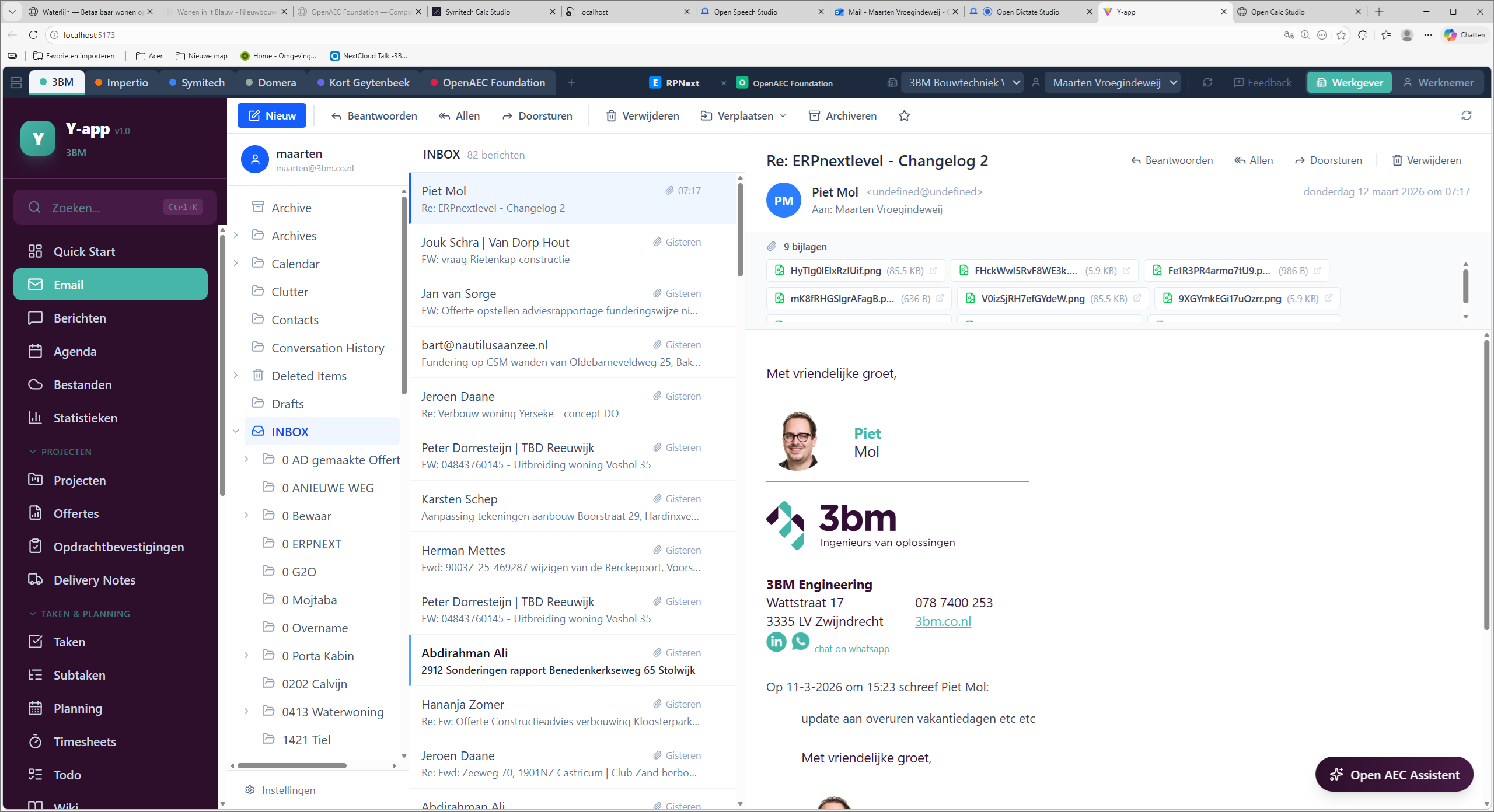
Y-app is not a chat tool and not a standalone ERP frontend. It's an "Everything-app" — a multi-tenant ERPNext workspace that bundles your entire business stack into a single web application. Email (IMAP/SMTP + Office 365), ERP (ERPNext), files (NextCloud), chat (Teams, NextCloud Talk, Telegram), calendar, an AI assistant (Claude) and dozens of business modules — all reachable from a single browser tab.
Y-app runs on your own server (or via impertio.app). Self-signup, instance management and mode switching all happen inside the app — no IT tickets needed.
Self-signup with email and password. Bcrypt with 12 rounds, HttpOnly session cookies, session-scoped credential cache.
For every company or client: URL, name, colour and credentials. Encrypted immediately in the server-side vault.
No browser tabs: switch between instances inside Y-app. Each tab keeps its own routing state, ERPNext session and cache.
Switch per instance between the full module set (Employer) or a restricted set for staff (Employee).
Y-app runs on a zero-knowledge principle for your ERPNext credentials. Every combination of email, ERPNext key and OAuth2 token is encrypted in a server-side SQLite vault with a master key that can only be decrypted with your Y-app password.
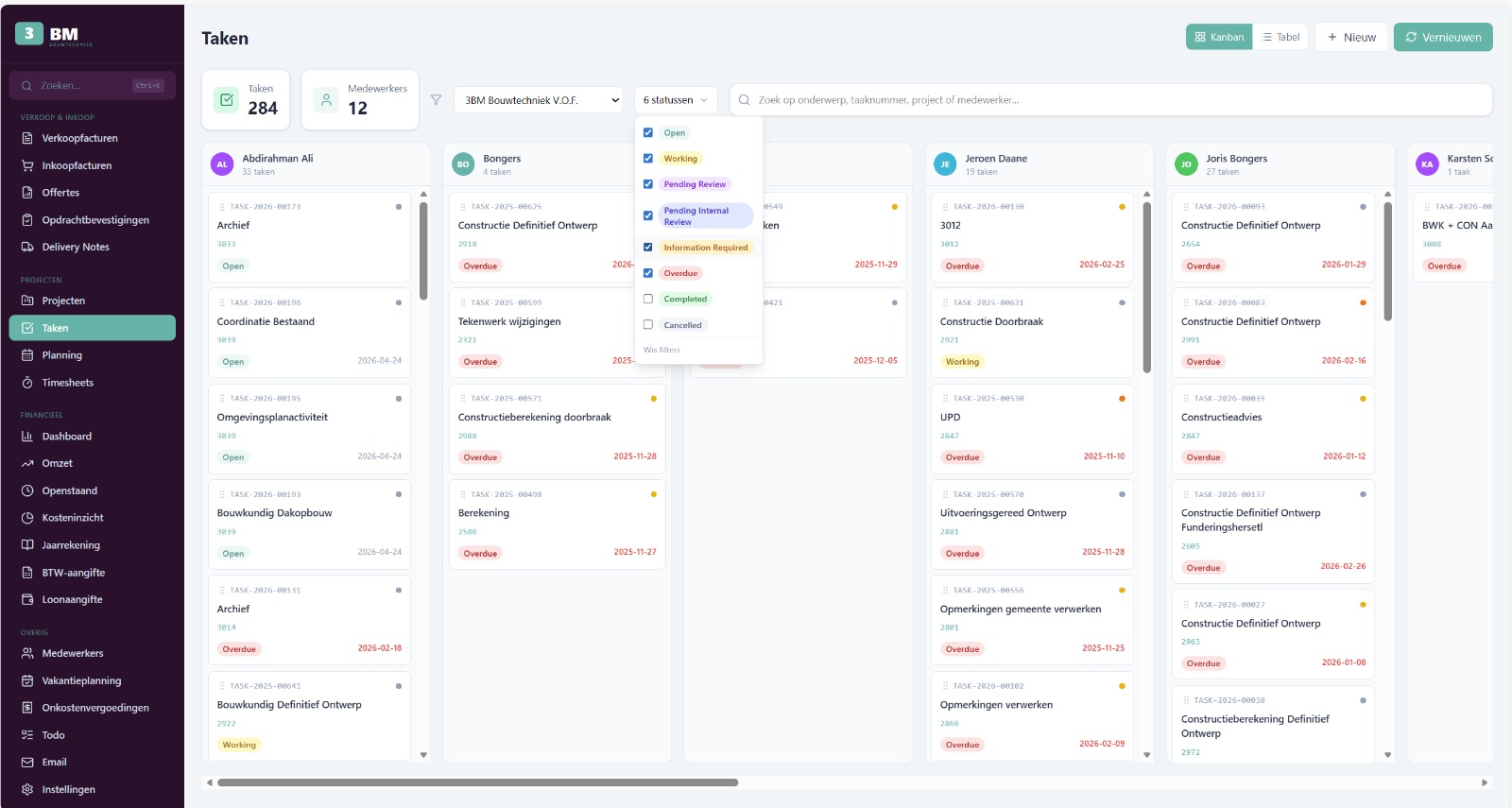
Y-app bundles dozens of modules across seven domains. Every module is connected directly to the active ERPNext instance — no separate logins, no separate URLs.
Full-featured IMAP/SMTP client with caching, folder management, attachments, rich-text editor, templates and signatures. Password auth or Office 365 OAuth2.
Multi-platform chat: NextCloud Talk, MS Teams (Graph API), Telegram (Bot API). One overview for every conversation.
Merged contact database from ERPNext and email history. One source for customers, suppliers and colleagues.
Document generation with templates: standard letter, quote, order confirmation, payment reminder.
Local storage with agenda, action items, deadlines and links to projects and tasks.
Leaflet map with project locations, status tracking and task counters per project.
Full CRUD with status, priority, sorting, filtering and assignment to staff.
Nested task structure for breaking down more complex work packages.
Week or multi-week view with drag-and-drop, staff filter, priority colours and holiday integration.
Quote overview with filters and detail view, connected directly to ERPNext Quotation.
Order confirmations and status tracking — from quote to delivery note.
Delivery status and customer linking for shipping and logistics planning.
Lead management and qualification, with follow-up actions and conversion to opportunity.
Personal task list per user — separate from project tasks.
Full staff overview with photo, contact details, contracts and leave allocations.
Leave requests and allocations in calendar view, with overtime registration.
Submit, approve and pay out expense claims — including attachments.
Log hours with project linking, billable/non-billable, a "Now" button and an approval workflow.
Payroll tax and salary reports per period.
Revenue charts per project or employee, billable %, top customers and monthly trends.
Monthly revenue trends with year-over-year comparison.
Outstanding invoices with ageing analysis (0-30, 31-60, 61-90, 90+ days) and email reminders.
Register, approve and pay supplier invoices.
Accounts receivable analysis with payment terms and reminder status.
Cost analysis and trending per cost centre or project.
Chart of accounts and journal entries — navigable chart of accounts.
Bank statements and reconciliation against outstanding items.
Enter journal entries and memorial postings directly.
Quarterly VAT calculation based on tax accounts.
Year-end closing, balance sheet and profit-and-loss statement.
Per-project and per-customer profitability analysis.
Cash-flow forecast based on outstanding items and expected payments.
WebDAV file browser with folder navigation, preview, upload/download and share links.
Markdown knowledge base with search, publish/unpublish and rich rendering.
ERPNext events, tasks, leave and timesheets plus iCalendar (ICS) feeds and Office 365 OAuth2 — everything in one calendar.
Switch between overviews, filter by source and schedule meetings in a click.
Generate a Jitsi Meet link directly in the invite — no extra accounts needed.
Claude AI assistant with context on your ERPNext data. SSE streaming, file context and multi-turn conversations.
WebSocket shell (PowerShell or bash) per active instance — handy for admins and developers.
Status monitoring per instance, IMAP and OAuth2 token validation.
Search across all ERPNext records of the active instance — from any screen.
Add, edit or remove instances yourself. No IT ticket needed.
Fully translated with 1190+ translations, runtime language switching via react-i18next.
Per instance you choose in a dropdown whether the user gets employer access (all modules) or employee access (a restricted set, focused on their own tasks).
| Module | Employer | Employee |
|---|---|---|
| Webmail, Messenger, Contacts | Yes | Yes |
| Projects & Tasks & Planning | Yes | Yes |
| Time tracking & Expense claims | Yes | Yes |
| Calendar & Meeting minutes | Yes | Yes |
| NextCloud Files & Wiki | Yes | Yes |
| Quotes, Sales orders, Deliveries, Leads | Yes | Limited |
| Employees, Leave planning, Payroll | Yes | No |
| Financial dashboard, Sales/Purchase invoices, Outstanding | Yes | No |
| General ledger, Bank transactions, VAT, Annual accounts | Yes | No |
| Profitability & Liquidity | Yes | No |
| Terminal & AI Agent | Yes | No |
Y-app talks to the tools you're probably already using — no lock-in, no migration.
REST API and session bridge — every DocType available.
OAuth2 + Microsoft Graph API for mail and calendar.
WebDAV + OCS API for files, talk and share links.
Bot API for business chat and notifications.
URL generation for video meetings, no account needed.
CLI spawning + SSE streaming with ERPNext context.
Read external feeds into the Y-app calendar.
React 19 + TypeScript + Vite 7 + TailwindCSS 4 on the frontend, Node.js 20 + Express 4 + WebSocket on the backend. Authentication via bcryptjs (12 rounds), HttpOnly cookies and AsyncLocalStorage for per-request credential scoping. Encryption with AES-256-GCM and PBKDF2-SHA256 (210k iterations), data in a SQLite database (WAL mode). Production runs under PM2, behind an nginx reverse proxy with TLS termination, WebSocket upgrade and static dist serving. Development via tsx --watch.