01 Files
Project files straight in Nextcloud
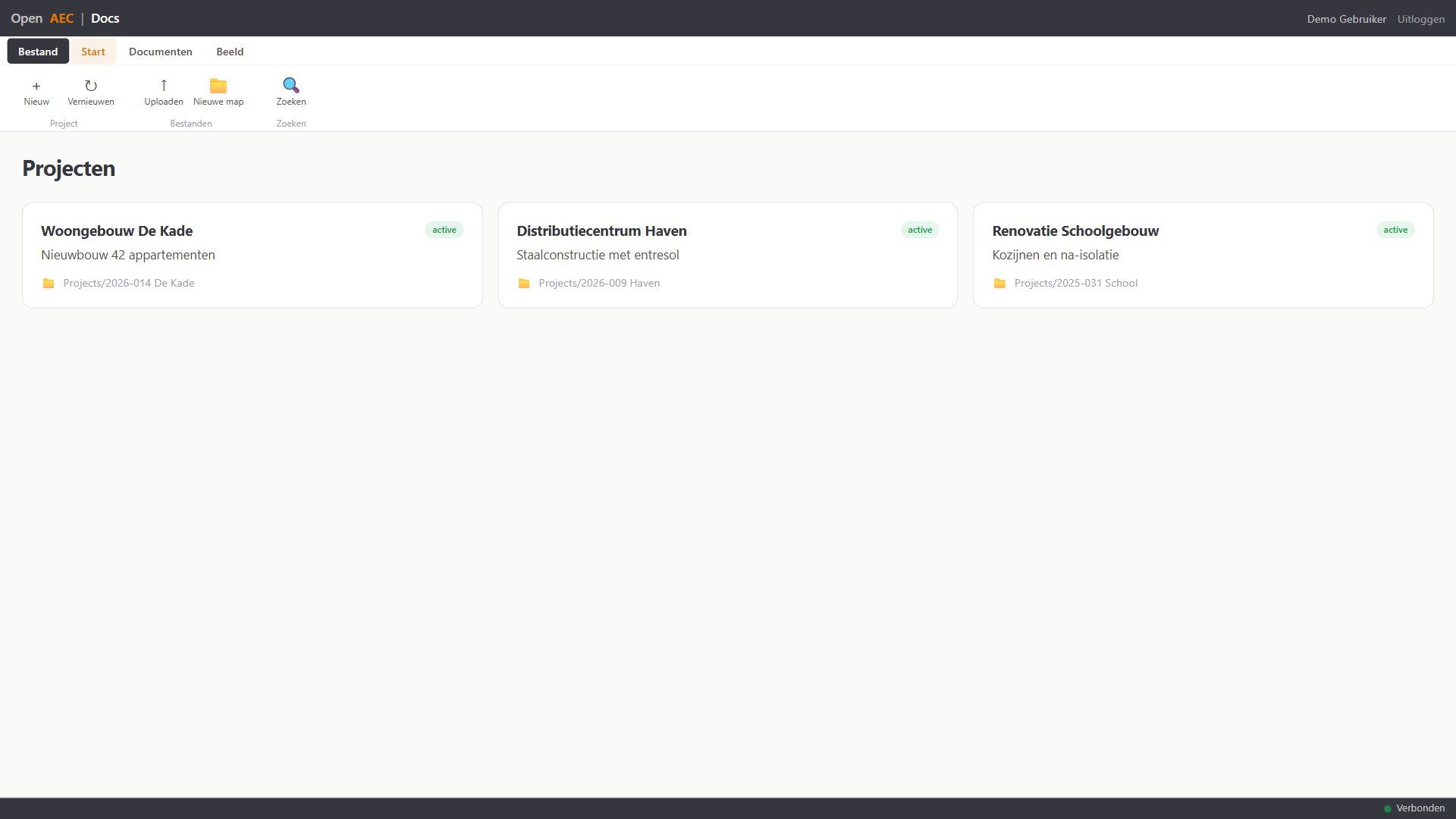
Upload, open and delete files and create folders, per project. The files live in a project folder on Nextcloud; the server talks to it over WebDAV and keeps the metadata in PostgreSQL.
Document management · prototype
The documents of BIM projects in one place
A prototype document management system for BIM projects: a Rust server and a React web interface on top of Nextcloud. Fixed folders per project, a manifest of the models and issue sets that belong to it, and sign-in through OIDC. Development has been on hold since April 2026.
Prototype on hold. No work has been done on OpenAEC Docs since April 2026. There are no releases, no hosted version and no installation guide; the source code is public on GitHub, without a licence yet.
Features
Start with the highlights or pick a topic.
01 Files
Upload, open and delete files and create folders, per project. The files live in a project folder on Nextcloud; the server talks to it over WebDAV and keeps the metadata in PostgreSQL.
02 Projects
A fixed layout per project, such as models, drawings, calculations and reports, with the allowed file types per folder. You can link an existing Nextcloud project folder instead of creating a new one.
03 Manifest
A project can have several manifests that record which IFC models, issue sets and reports belong to it, so other OpenAEC tools can find them. The project view shows them in a side panel.
04 Integrations
Sign in through single sign-on (OIDC), with several organisations on one installation, each with its own Nextcloud. Integrations with the OpenAEC BIM Validator and BCF platform, and everything through a REST API.
Upload, open, delete and create folders, per project.
The files stay in Nextcloud; the server reads and writes them over WebDAV.
A ribbon with File, Home, Documents and View, as in the other OpenAEC apps.
A fixed folder layout per project, with allowed file types per folder.
Several manifests per project with the models, issue sets and reports that belong to it.
Members per project and a log of the activity.
Sign-in through OIDC, with tokens the server verifies.
One installation for several organisations, each with its own Nextcloud.
Integrations with the OpenAEC BIM Validator and BCF platform.
Projects, folders, files and manifests through a REST API.
A Dockerfile and Compose files to run it yourself.
Latest change · April 2026
There is no release of OpenAEC Docs. This is what the last substantive change, on 6 April 2026, added.
A project can now have more than one manifest.
List, read and save the manifests of a project through the REST API.
The project view shows the manifests in a side panel, with a view per manifest.
The manifest types come from the shared openaec-cloud storage library, so other tools use the same format.
No, not at the moment. The last change dates from April 2026 and the app is no longer listed on the homepage. For project files in the cloud, OpenAEC is now working on the SuperCloud.
There is no hosted version and no release. If you want to try it, you can build the source code from GitHub yourself and run it with Docker Compose; you then also need a Nextcloud, a PostgreSQL database and an OIDC provider.
One place that holds all the documents of a project, from models and drawings to calculations and reports, with a fixed folder layout and agreements on what goes where. OpenAEC Docs adds a manifest to that, so other tools also know which models and issue sets belong to a project.
Nextcloud is open source and can be self-hosted, so the files stay on a server you choose yourself. OpenAEC Docs keeps the files themselves in Nextcloud and only the administration in its own database.
They are separate projects. OpenAEC Docs built on Nextcloud and the openaec-cloud library; the SuperCloud has its own storage server with spaces, versions and a desktop app for syncing.
The source code is public on GitHub, but it does not carry a licence yet. If you want to use it, get in touch at info@open-aec.com.
For those who want to know how it is built.
The server with the REST API.
The web interface with the OpenAEC ribbon.
The storage of the files, per organisation.
Projects, members, folder layouts and activity.
Sign-in through an external identity provider.
An image and Compose files for development and production.
A prototype on hold. Interested in picking it up again? Email info@open-aec.com.