What is Open Pile Plan Studio?
Open Pile Plan Studio is an open-source engineering tool for reviewing pile options and assembling practical pile-plan variants. It brings structural loads, nearby CPTs and available pile configurations together in the browser and Windows desktop app, powered by the same Rust calculation core.
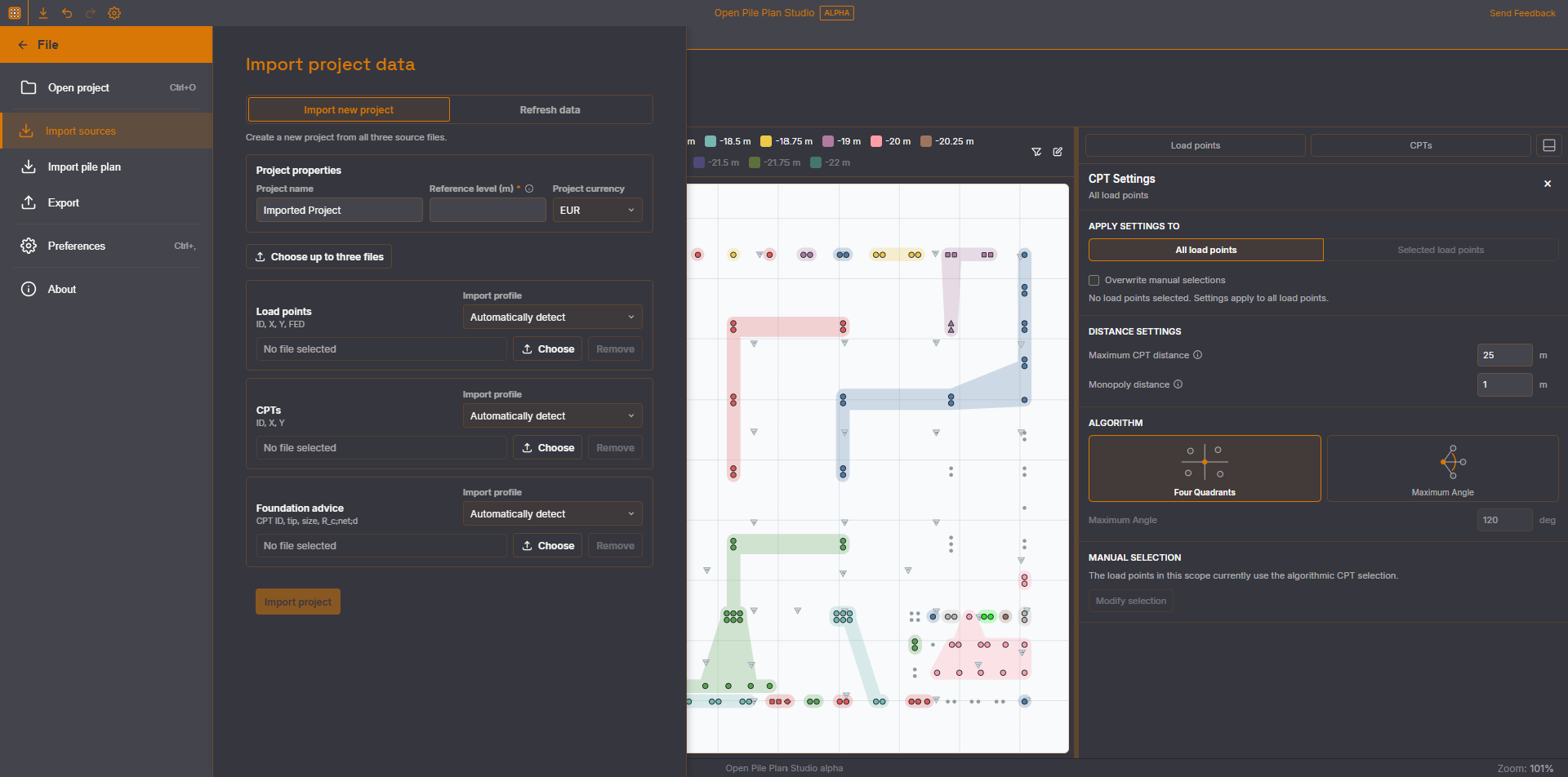
- Import load points, CPTs and foundation advice from CSV/XLSX (incl. RFEM exports)
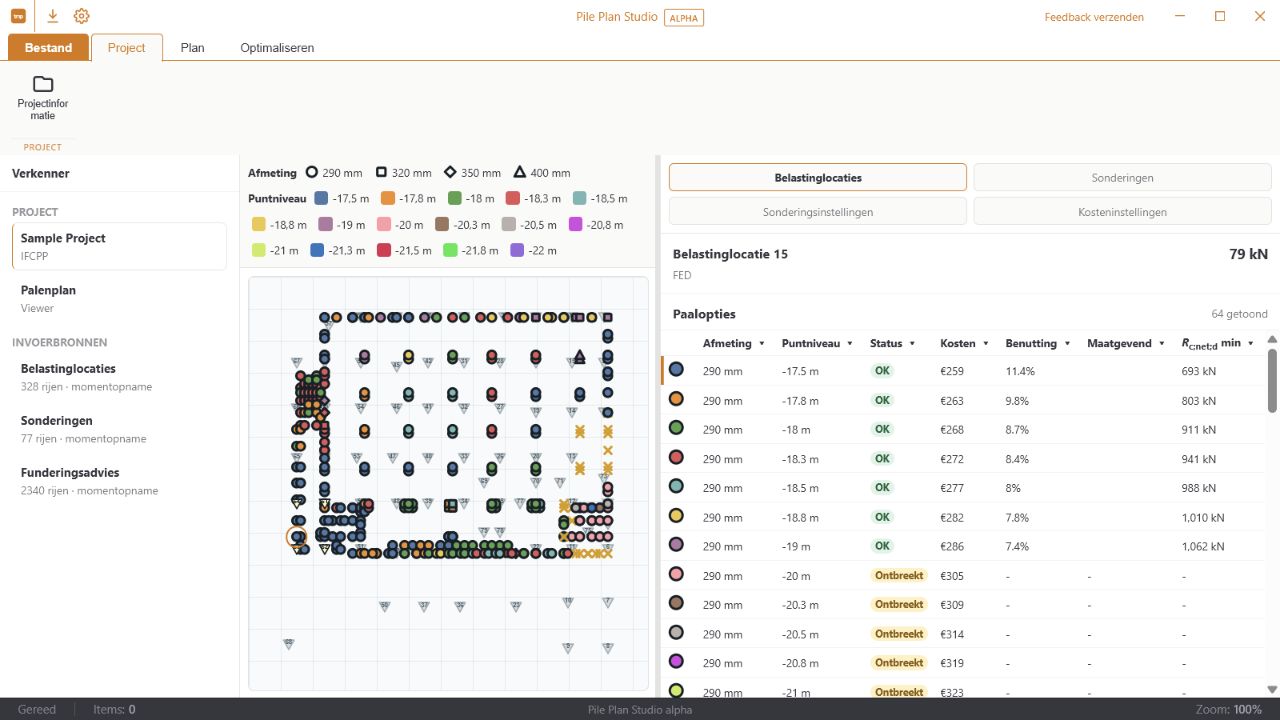
- Valid, insufficient and missing pile options per load point
- CPT selection by quadrant or maximum angle, with manual override
- Compare utilization, governing resistance and estimated cost
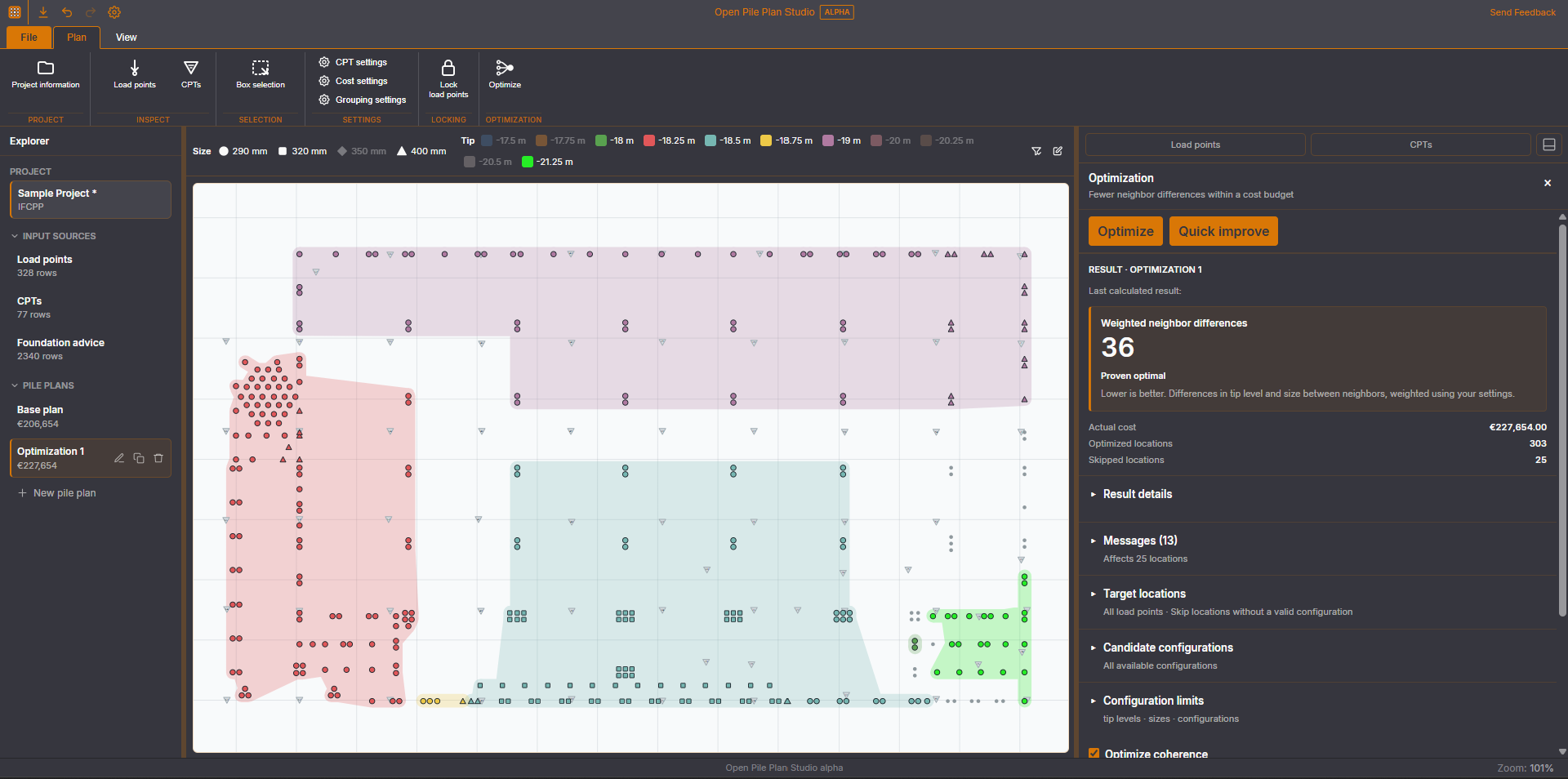
- HiGHS cost optimization with configuration limits and optional reduction of differences between neighbours
- Save the complete project as an IFCPP file and reopen it later
Download v0.4.3-alpha
Why Open Pile Plan Studio?
Assembling a pile plan is often manual work spread across spreadsheets, foundation advice reports and drawings. Open Pile Plan Studio brings that information together in one interactive workspace: select load points, instantly see which pile configurations are valid, and record choices traceably.
Free and open source, for structural engineers, geotechnical consultants and foundation specialists. The browser demo opens with a complete sample project, so you can explore the workflow without any preparation.
Features
Purposeful project import
Import load points, CPT coordinates and foundation advice from CSV or XLSX files and assign the three source roles before import. RFEM exports are detected automatically.
Select CPTs
Select CPTs automatically by quadrant or maximum-angle rules and override the choice manually for individual load points.
Compare pile options
Review valid, insufficient and missing pile options per location with size, tip level and governing CPT.
Assign one or many
Assign a configuration to one load point or to a multiple selection with common options.
Utilization and cost
Compare utilization, governing CPT and estimated cost before recording a configuration.
Optimize the plan
Use the HiGHS solver to reduce cost within configuration limits, optionally reducing differences between neighbouring locations within a cost budget. Quick improve provides a fast local alternative.
Interactive selection
Select locations by click, multi-selection or lasso and filter through pile size and tip level in the legend.
IFCPP project file
Keep imported data, settings, pile choices and manual CPT selections together and reopen the complete project later.
Export to Excel/CSV
Export the current pile assignments and selected CPTs to Excel or CSV for reporting and coordination.
Import an existing pile plan
Update an active project from an Excel/CSV table, including legacy files — with ID and coordinate validation and a preview before import.
Browser and desktop
The same Rust calculation core runs through WebAssembly in the browser and natively in the Windows desktop app (Tauri 2). The Windows app also offers local MCP access for AI assistants such as ChatGPT Desktop and Claude Desktop, with separate controls for reading and editing.
Explore immediately
The browser demo opens with a complete sample project, so you can investigate the workflow without preparation.
Workflow: three steps to a traceable project
- Combine sources — import load points, CPTs and foundation advice and verify their role.
- Assess options — inspect the plan view, CPT selection, bearing capacity, utilization and cost.
- Record choices — assign configurations, review the whole plan and save everything as an IFCPP project.
⚠️ Decision support, not automated design responsibility
Open Pile Plan Studio is currently a public alpha. The configurable CPT selection is a practical approximation. Optimizer results report whether optimality was proven; Quick improve is a local improvement method.
Always have input, assumptions and engineering results checked within the project by a qualified professional. The tool supports engineering decisions but does not replace responsibility for the foundation design.
Technology
The engineering logic for import, pile options, costs, CPT selection and optimization lives in the Rust calculation core. That same core runs through WebAssembly in the browser and natively in the Tauri desktop app — one calculation model, two platforms.