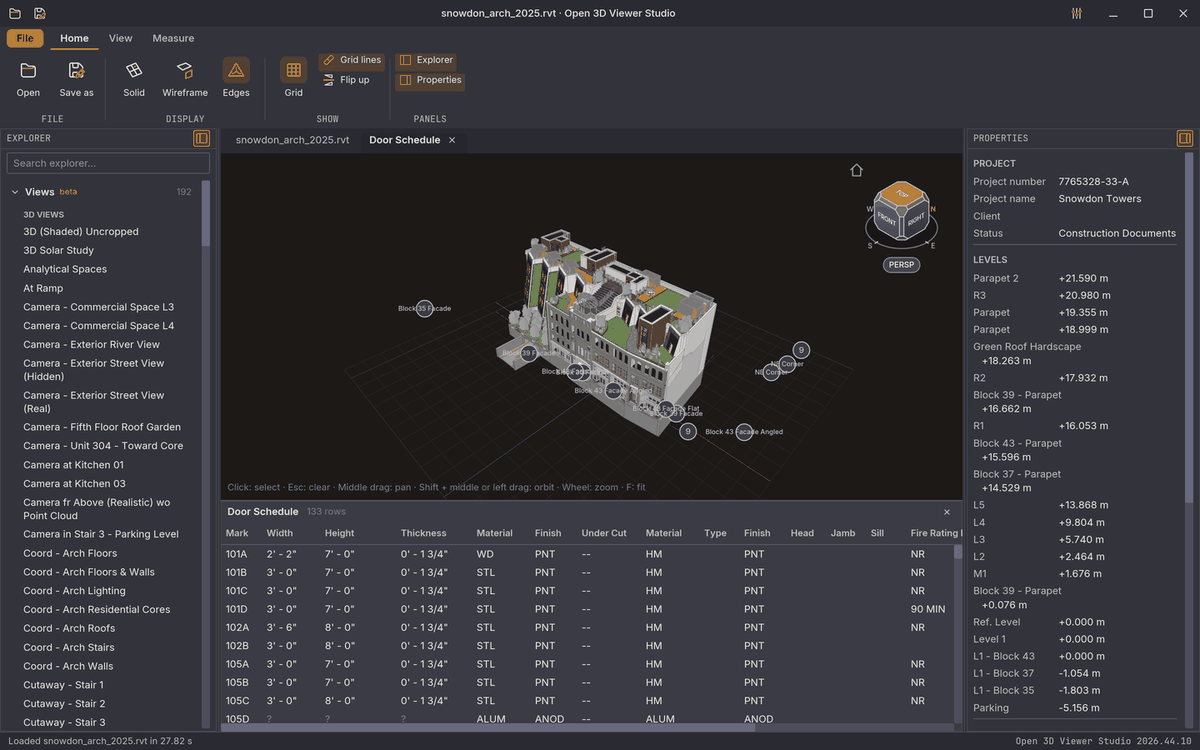
01 Open
Opens what you are sent
IFC, Revit, SketchUp, Tekla, Allplan, Archicad, DWG, MicroStation, STEP, Rhino, point clouds and much more, without the program that made it. Open several models side by side or overlay them in one view.
N in One · BIM
View, model and check in one program
Open any building model you are sent, update it, check it against IDS and find clashes, without switching programs. Free, open source and on your own computer, on Windows, macOS, Linux and in the browser.
Modules
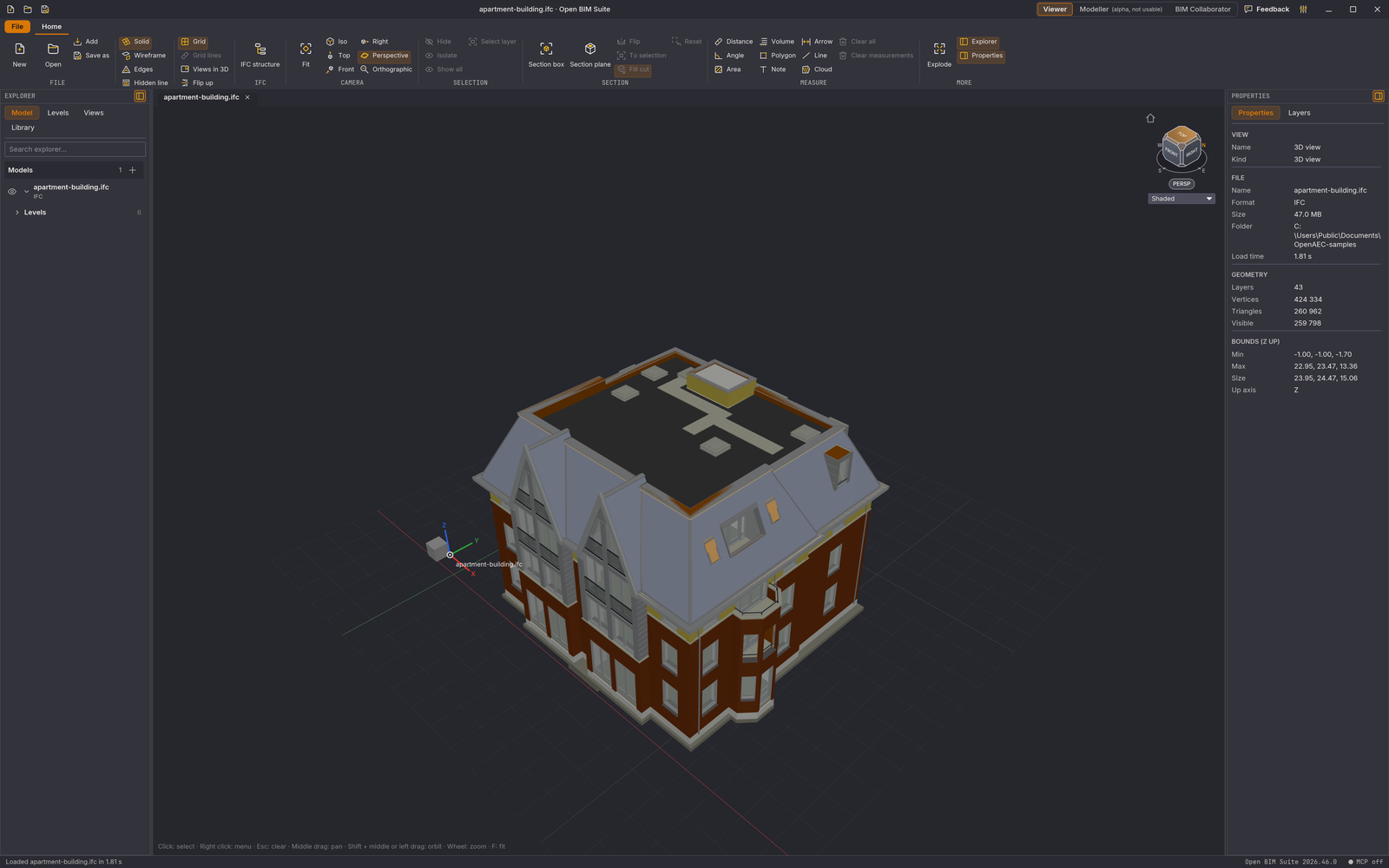
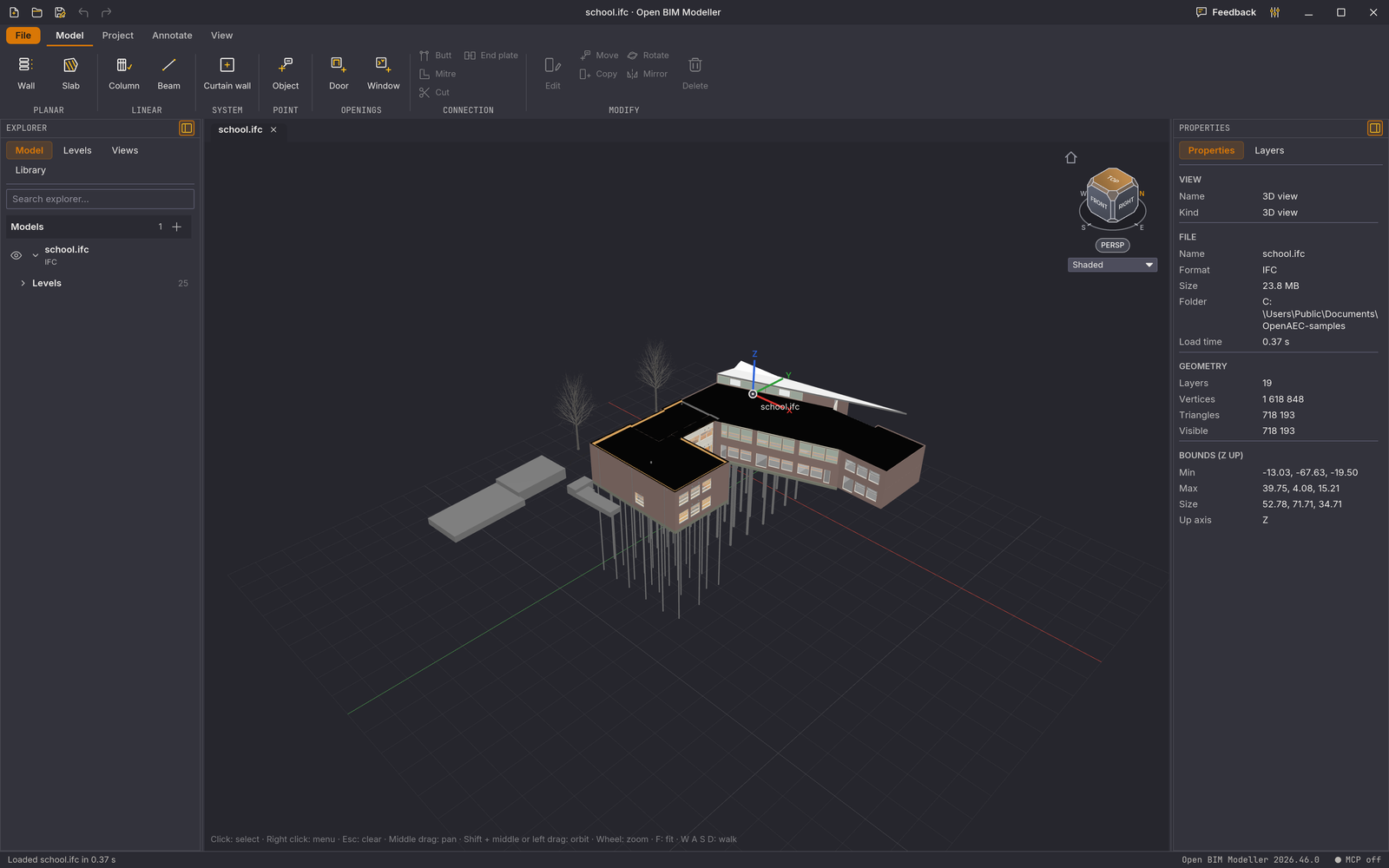
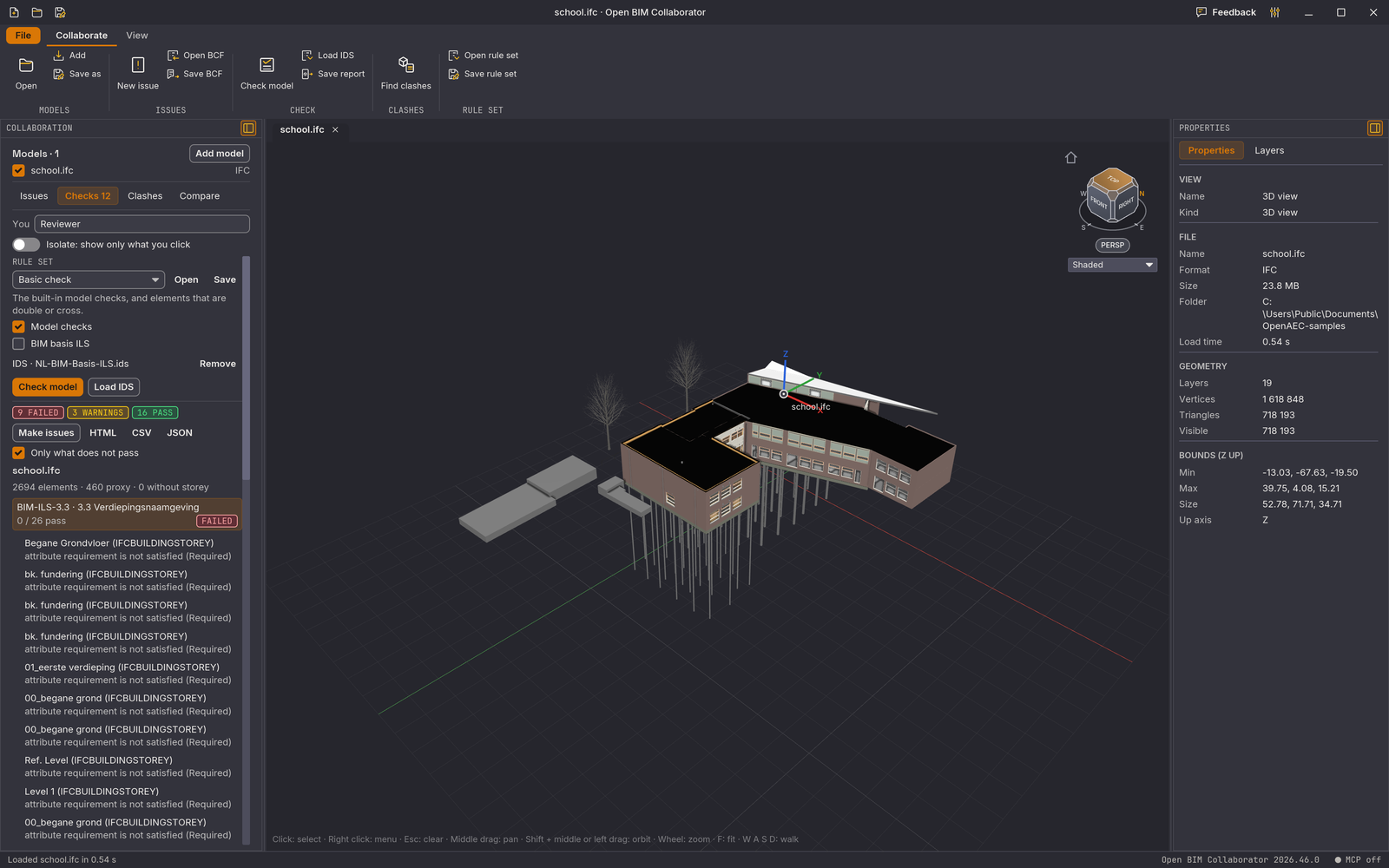
Switch between the modules at the top right. They share the same project, the same models and the same selection. Each module is an extension you turn on or off.
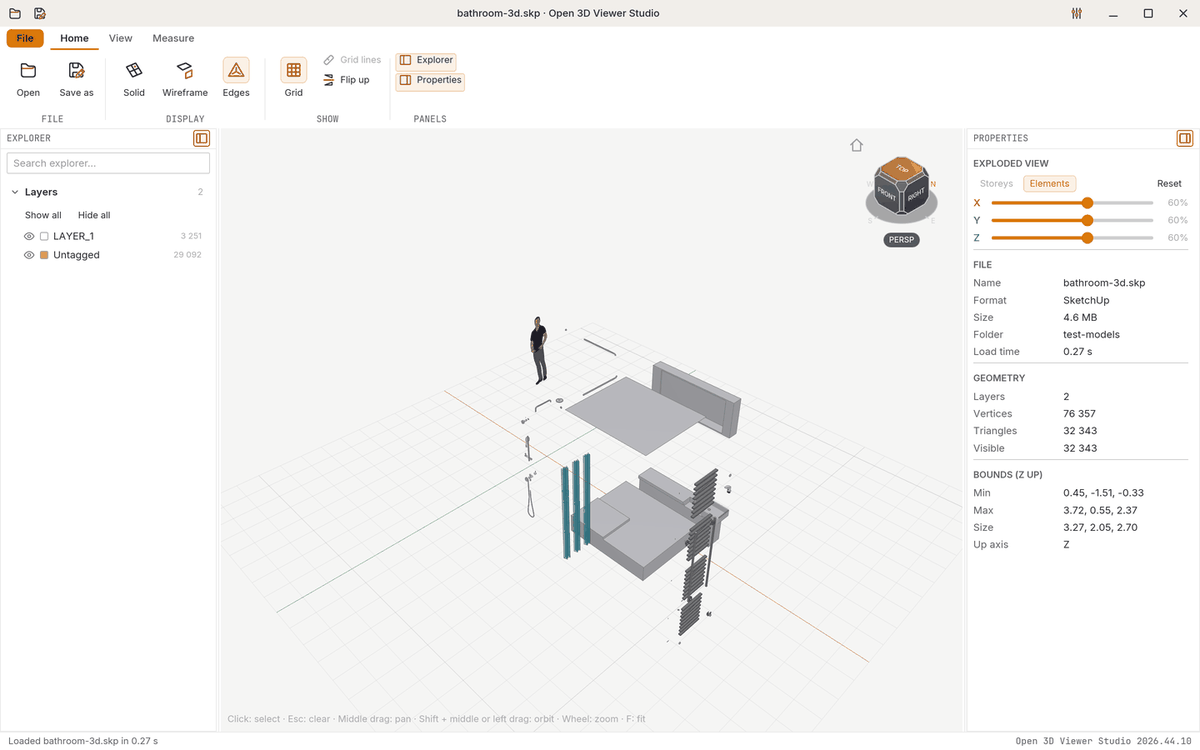
Open, view, measure, section and pull apart any model.
Walls, floors, columns, beams, curtain walls, doors and windows, with levels, elevations and sheets.
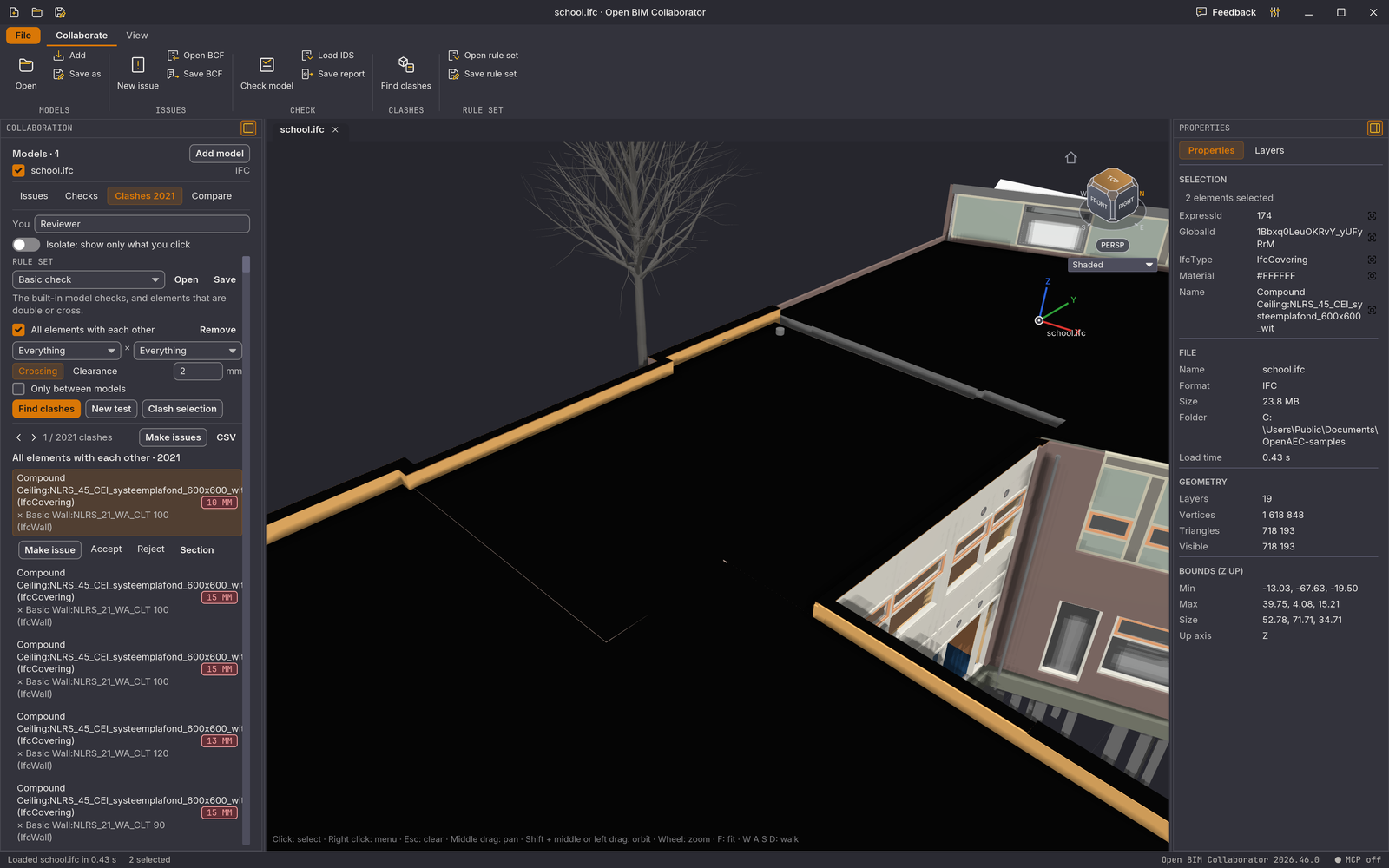
Check against IDS and the NL-BIM Basis ILS, find clashes and record issues in BCF.
See how an IFC or IFCX file is built up: text, nodes, table and relations, linked to the model.
Work on one model together, with comments and issues the whole team can see.
Point clouds from LAS, LAZ, E57 and more: colour, section, measure and turn them into a surface.
Open structural analysis models, with forces, deformations and results on screen.
The project documents in one place: models, drawings and reports, with status and revisions.
The model in its place: load the surrounding parcels, buildings and terrain.
Facility management and maintenance: use rooms, installations and objects from the model after handover.
View sun, shadow and surroundings around the building.
Every new OpenAEC tool for BIM is added as a module. That is what we mean by N in One.
Standalone tools also come out of the Suite, with the same code and their own, smaller installer. A new version of the Suite also produces a new version of the standalone tools.
Features
A selection of what the desktop version can do now. Almost everything also works in the browser.
01 Open
IFC, Revit, SketchUp, Tekla, Allplan, Archicad, DWG, MicroStation, STEP, Rhino, point clouds and much more, without the program that made it. Open several models side by side or overlay them in one view.
02 Model
Place walls, floors, columns, beams and curtain walls on the levels of the building. Put a DWG or PDF drawing on a level as an underlay and keep drawing on top of it.
03 Check
Check against IDS, the NL-BIM Basis ILS and the RVB BIM Norm, find clashes between disciplines on the real geometry and record agreements as BCF issues that every BIM package can read.
04 Drawings
Create floor plans, sections, elevations and 3D views, add dimensions and text, and arrange them on sheets from A4 to A0. Export as DWG, DXF, IFCCAD, PDF, PNG or SVG.
Each file in its own tab, or together in one view with a separate toggle per model.
Distances, angles, areas and polygons, with snapping to corners, midpoints and edges.
Cut the model open with filled section faces. The box adapts to the selection.
Pull the model apart by storey or by element, with a percentage per axis.
The storeys and grids of the model, plus your own levels and an underlay per level.
Floor plans, structural plans, ceiling plans, sections and four elevations with one click.
Sheets from A4 to A0 with dimensions and text, as DWG, DXF, IFCCAD, PDF, PNG or SVG.
Any model that opens can be saved as IFCX, IFC 4 or IFC 4x3, with storeys, classes, properties and materials.
Layers on and off per view, properties per element, and select everything with the same value.
A small project file remembers which models are open together, the camera and the section.
Through the MCP server, Claude and other AI agents open files, look around, select and measure in the window you see.
A ribbon like in office software, four themes, six languages and your own shortcut for every command.
The same app runs in the browser without installation, and you can install it on Android as an app.
Everything runs on your own computer. Nothing is uploaded, not even in the browser.
Every installer is signed: Windows with Authenticode, macOS notarized by Apple, Linux with the OpenAEC key.
In an OpenAEC SuperCloud environment, the Suite opens models from Docs and saves them alongside.
Download
Free and without an account. Installs without administrator rights, and the Suite tells you itself when a new version is available.
On a phone or tablet, open the Suite in the browser. On Android you can install it from there as an app.
Install and update everything at once? The OpenAEC Installer installs, updates and launches every OpenAEC tool.
Video
Open a model, rotate it, cut it open, pull it apart, measure and save as IFC. Then check it with the Validator.
New in the Suite
A new version comes out almost every week. This is what has been added recently.
The Validator is out as its own Windows installer, and is still included in the Suite.
Arrange views on sheets and export as DWG, DXF, IFCCAD, PDF, PNG or SVG.
See how an IFC or IFCX file is put together, linked to the selection in the model.
Tekla drawings as sheets, Archicad with stairs and railings, structural analysis models and Gaussian splats.
One program that brings together everything the OpenAEC Foundation builds for BIM: the Viewer, the Modeller, the Validator and the modules still to come. You open a model once and view, edit and check it without switching programs.
Nothing. No licence, no account and no upload. The source code is free to use under the LGPL-3.0 licence.
Choose the Suite if you work with models from viewing to checking and want everything in one program. Choose a standalone tool, such as Open 3D Viewer Studio or the Open BIM Validator, if you only need one thing or want a smaller installation.
Yes, with a browser that has WebGPU or WebGL2: a recent Chrome, Edge, Firefox or Safari. Revit, Vertex BD and BTL files only open in the desktop app.
On your own computer. The browser version also reads the file locally and sends nothing to a server.
The Suite has an MCP server. With it, an AI assistant such as Claude can open files, look around, select and measure in the window you see. You can follow what happens.
On Android, open the browser version in Chrome and choose Install. The app gets its own icon and also works offline once you have opened it.
One codebase delivers the desktop app, the browser version and the MCP server.
The whole app, from reading files to rendering, in one fast and safe language.
The interface and the 3D view run on the graphics card, also in the browser through WebGPU.
The same code runs in the browser, without installation and without upload.
IFC5 is the native project format: the model, levels, views, sheets and dimensions in one open file.
A local MCP server that lets AI agents operate the app.
Each module is an extension with its own ribbon and panels. Turn on what you need.
Every release of the Open BIM Suite.
All of OpenAEC's BIM tools in one program. Free, open and on your own computer.