01 Calculating
You can check every step
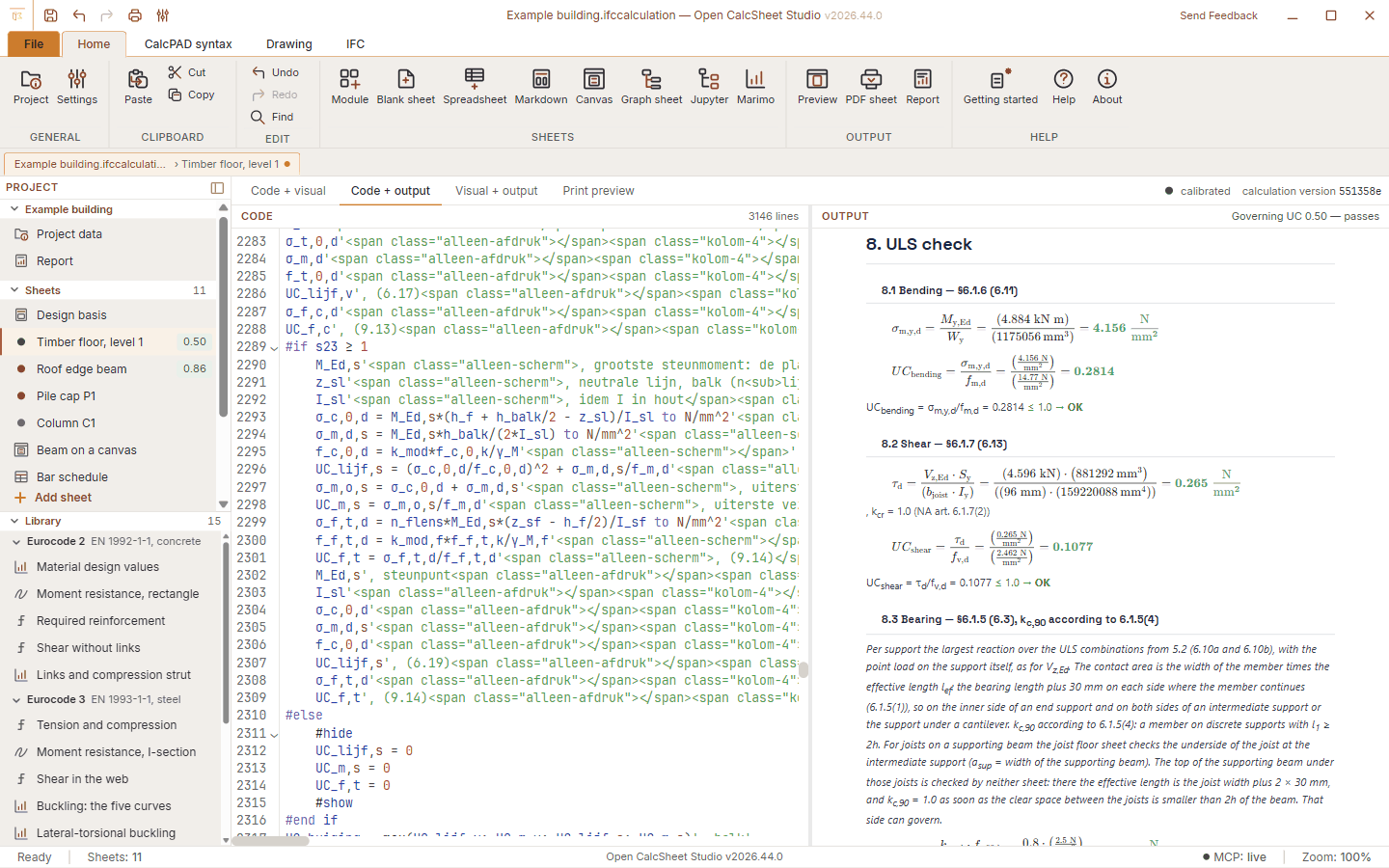
You write the calculation as text. Every result shows its name, formula, filled-in values and outcome, with units. Change a number and the sheet recalculates while you type.
Read moreStructural calculations
Calculations you can read back, in one report
Write your calculation line by line as text, and the app works it out with units and readable formulas. Next to calculation sheets, a project can hold spreadsheets, formula canvases, node graphs, drawings and notebooks. Together they become one report.
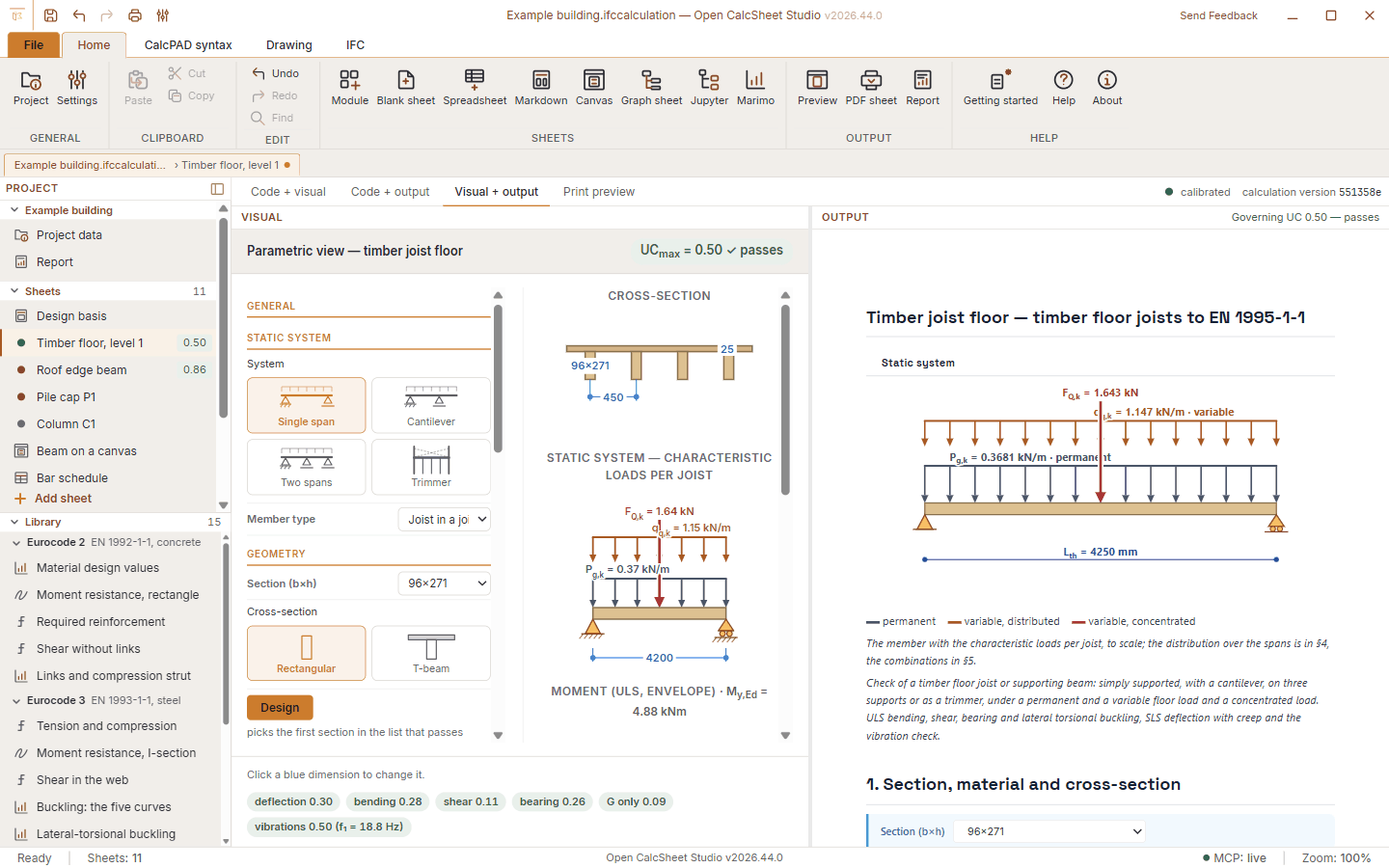
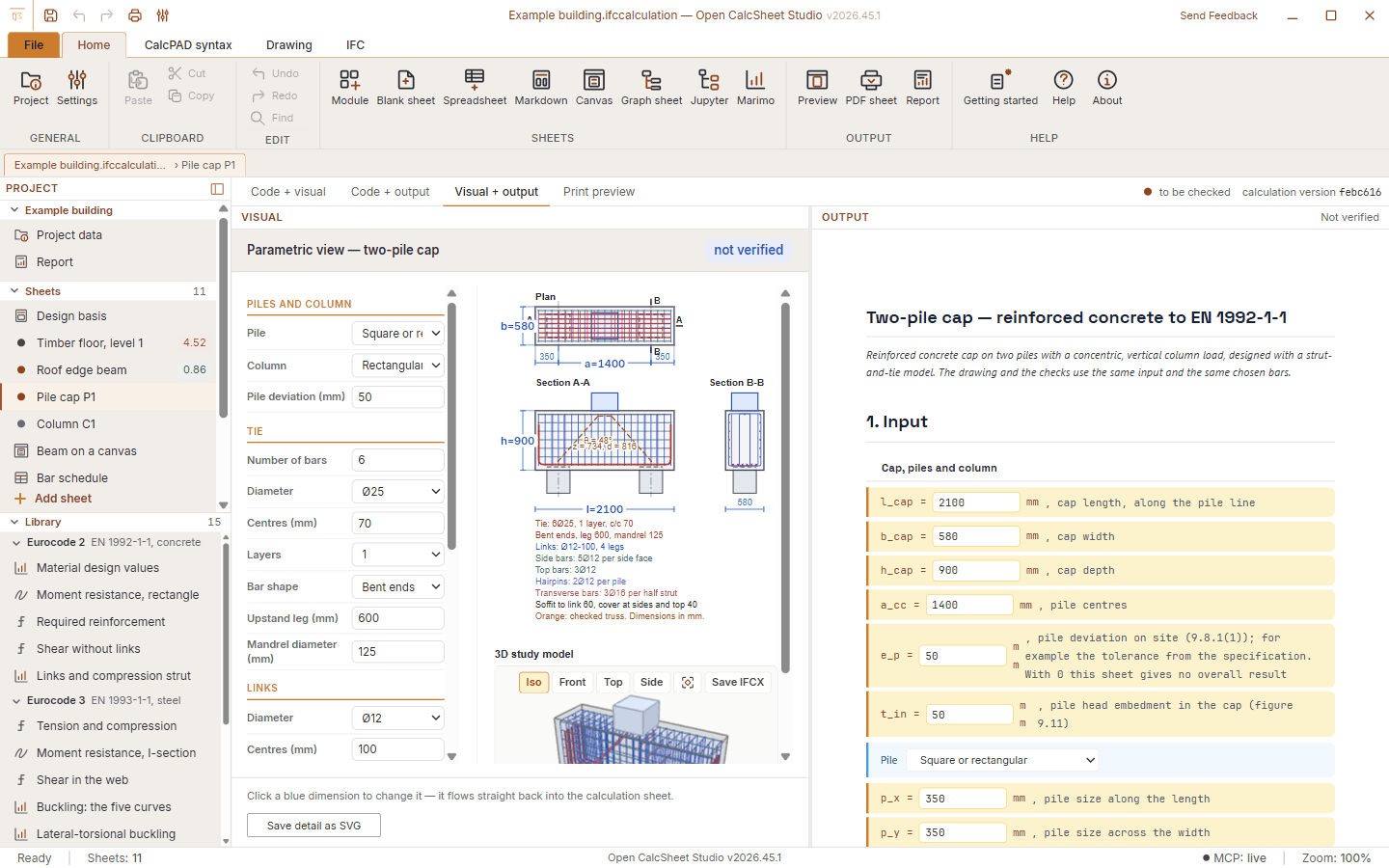
Try it now: open the app in the browser and choose Module, then Timber joist floor. Change the section or the span and watch the unity check follow.
With thanks to
Calcpad by Ned Ganchovski is really what led to this app. You write a calculation as plain text and read back every step worked out: that idea comes from there, and we are grateful to him for it. Open CalcSheet Studio has its own calculation kernel, but it also opens your .cpd files. The open-source line of Calcpad continues in the community edition CalcpadCE.
Features
Start with the highlights or pick a topic.
01 Calculating
You write the calculation as text. Every result shows its name, formula, filled-in values and outcome, with units. Change a number and the sheet recalculates while you type.
Read more02 Report
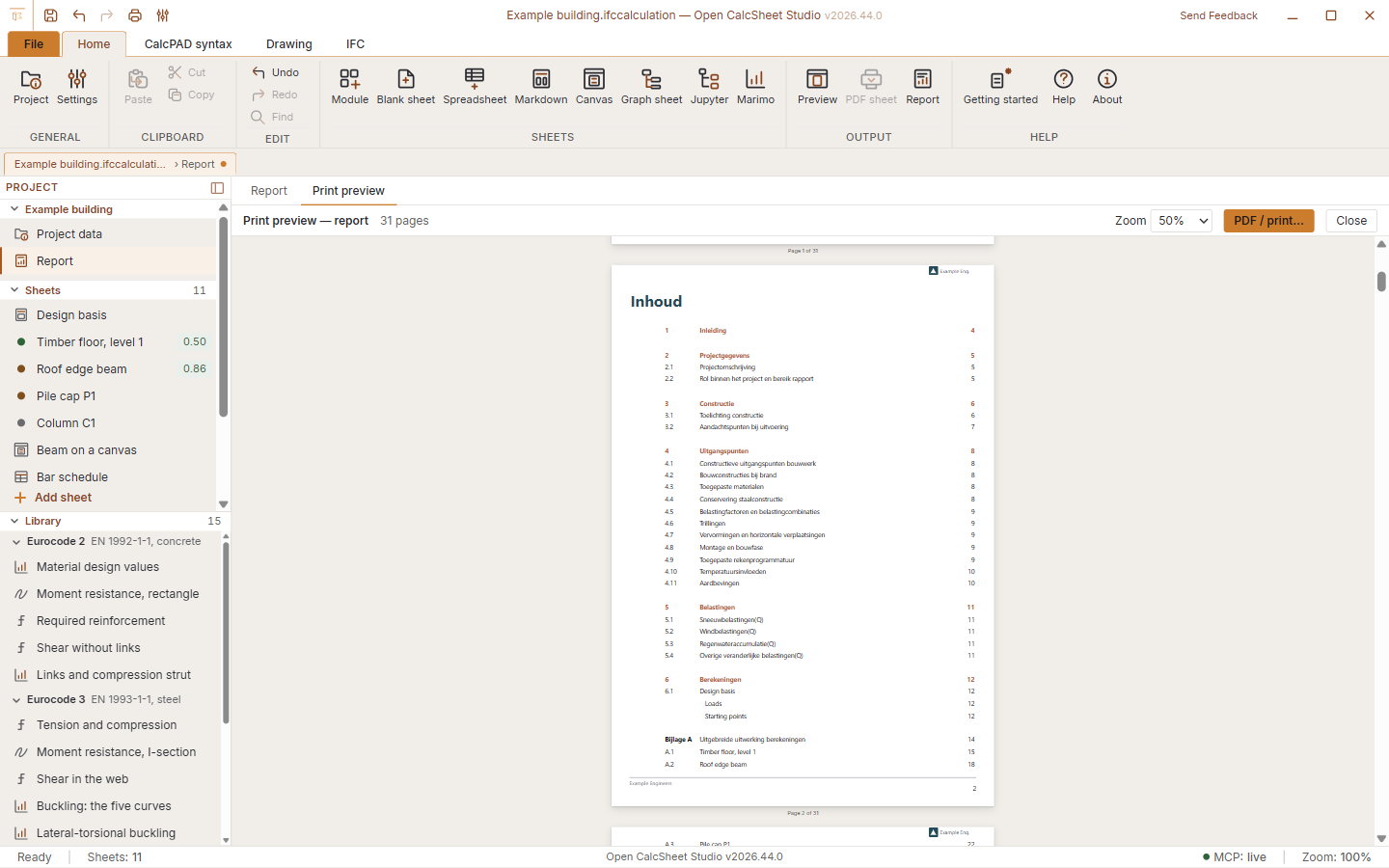
Cover, table of contents and page numbers run through all sheets, whatever kind they are. With your own logo, colours and font, ready for the project file.
Read more03 Sheets
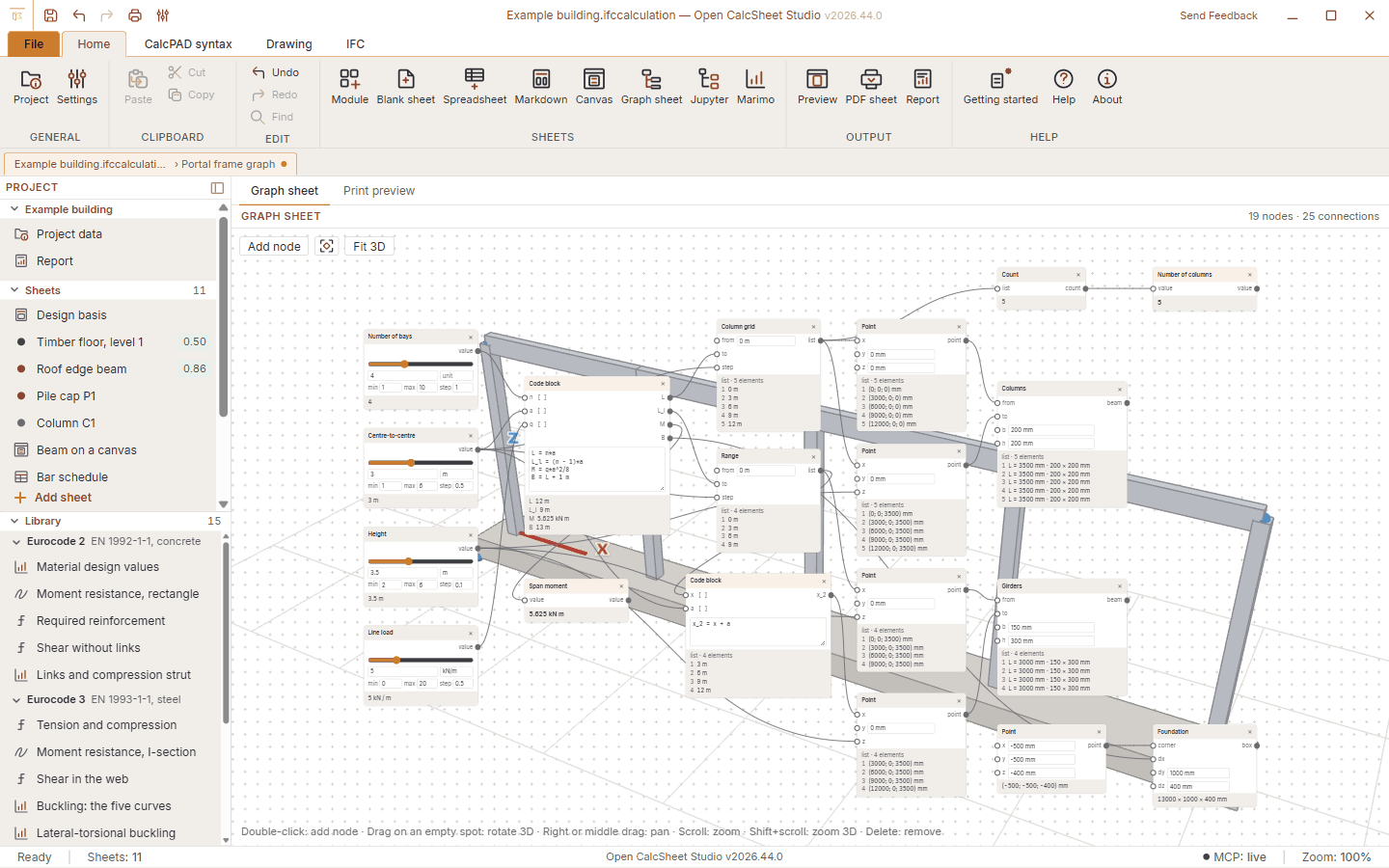
Text, canvas, spreadsheet, node graph, drawing, notebook, Markdown or PDF, side by side in one project. A drawing or a 3D model can take its sizes from the sheet.
Read more04 Modules
Modules with an input screen for a timber joist floor, a beam in timber or steel and a two-pile cap, to the Eurocodes with the Dutch national annex. Plus 137 formulas to insert and 15 worked examples.
Read more05 Open data
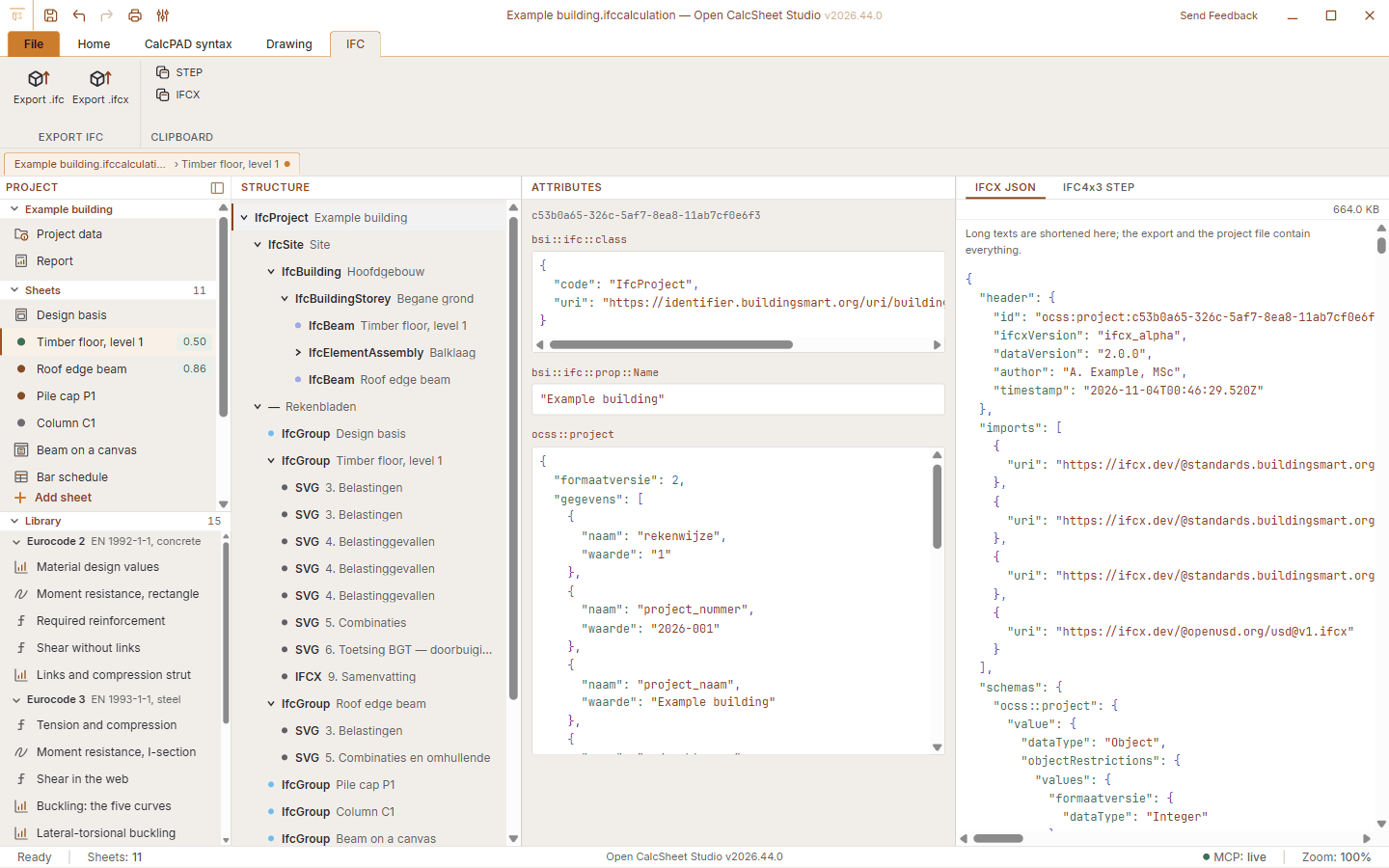
The project file is IFCX, with every sheet and its text, input and results. You export to IFC4x3, and with the two-pile cap every bar of the cage becomes an IfcReinforcingBar.
Read moreCalculate with mm, kN and N/mm²; the app keeps track of the units.
Change a number and the check follows at once.
The calculation language has formulas, conditions, plots and drawings in the sheet.
Insert a formula with a click, each with a sketch that shows what it is about.
From the Eurocodes and classical mechanics; corrections reach everyone without a new release.
Timber joist floor, beam in timber or steel and two-pile cap. The online module library adds more without a new release.
An .xlsx workbook with formulas, cell pointing and fill.
Place formulas freely; they calculate top to bottom with the same kernel.
Nodes for numbers, logic, lists, text and geometry, with a 3D preview. Also reads .dyn graphs.
A4, A3 or A2 with views to scale: grids, levels, walls, steel sections and hollow-core floors.
Python notebooks with numpy, scipy, pandas and matplotlib, without installing anything. Tested on the Windows app.
Existing text and documents as part of the report.
Cover, contents and page numbers across all sheets, as PDF or through the printer.
The logo, colours and font of your office on the report.
The project is stored in IFCX; export to IFC4x3 for the BIM model.
Opens calculation text (.cpd), workbooks (.xlsx), Markdown and notebooks; DXF becomes a drawing in a sheet.
A built-in MCP server and REST API with 43 tools, only on your own computer and behind a token.
Download
Free and without an account. Signed installers for Windows, macOS and Linux.
Open CalcSheet Studio is made for a large screen. Open it on your computer, or try it here in the browser.
Rather not install anything? The app also runs in the browser. File dialogs, saved settings and the Jupyter sheet do not work there.
New in v2026.45
The first release from the public repository. A project now holds many kinds of sheets, and the installers are signed.
Python notebooks as a sheet in your project, with automatic re-running.
Build geometry with nodes and read existing .dyn graphs.
One click plus a file name gives a PDF of all sheets (on Windows).
Set the logo, colours and font for the report.
The formula library shows what each formula is about.
Windows with Authenticode, macOS notarized by Apple, Linux with an OpenPGP signature.
IFCX projects (.ifccalculation, .ifcx), calculation text (.cpd), workbooks (.xlsx), Markdown, notebooks (.ipynb, .py) and PDF as a sheet. DXF is converted to a drawing in a sheet, and a graph reads .dyn files. IFC4x3 can be exported but not opened.
No, the app also runs in the browser, although file dialogs, saved settings and the Jupyter sheet do not work there. For full use there is a desktop app. It has no built-in updater: install a new version over the old one; your projects stay ordinary files.
Nothing. Open CalcSheet Studio is open source under the LGPL-3.0: no licence fees and no account.
In IFCX, an open format. Every sheet is in it with its text, input and results. You can also export to IFC4x3, .xlsx, Markdown and PDF.
Windows (x64), macOS (universal, Apple silicon and Intel), Linux (.deb and AppImage) and the browser. Jupyter and Marimo are only tested on Windows, and the report straight to PDF is Windows only; other systems use the print dialog.
The modules calculate to EN 1995-1-1, EN 1993-1-1 and EN 1992-1-1 with the Dutch national annex. Every module has a status: the beam and the two-pile cap are "to be checked". The app does not replace the judgment of a structural engineer, so check the results yourself.
The desktop app has a built-in MCP server and REST API with the same 43 tools: open and save projects, add sheets, set input, calculate, export and print. It only listens on your own computer, behind a token, and you can switch it off or make it read-only.
With every change, 56 check scripts run on Linux and Windows, including 121 results compared against hand calculations. Every result shows its formula and filled-in numbers, so you can follow it yourself.
For those who want to know how it is built.
Built on mathjs, and also usable as a package without the app.
A light desktop shell for Windows, macOS and Linux.
The interface, the editor and the formula display.
Notebooks with Python, without installing anything.
The shared look and icons of the OpenAEC apps.
The same 43 tools for AI assistants and your own scripts, on 127.0.0.1.