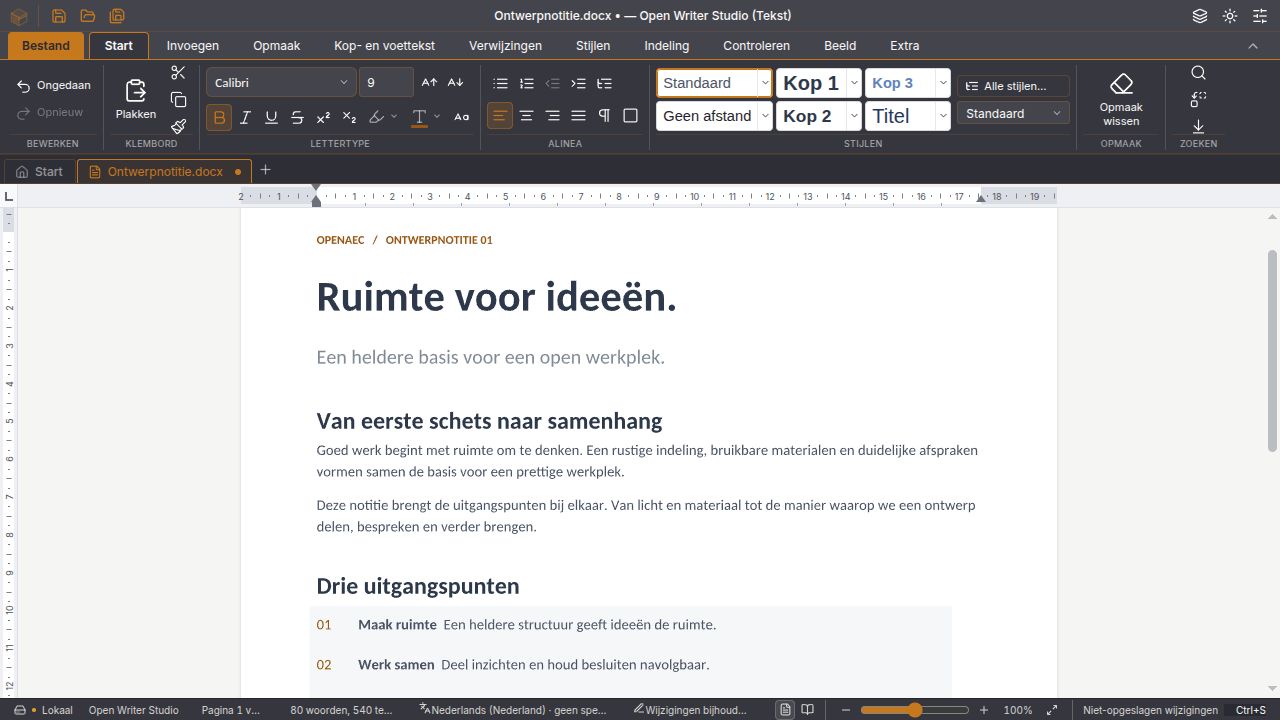
01 Documents
Edit Word documents directly
Page view, rulers, ribbon and styles. With headers and footers, a table of contents, footnotes, comments, track changes and comparing two versions.
Read moreOffice suite
All your office work on your own computer
Documents, spreadsheets, presentations, notes, email and databases in one program. It opens and saves Word, Excel and PowerPoint files directly, without an account or cloud service.
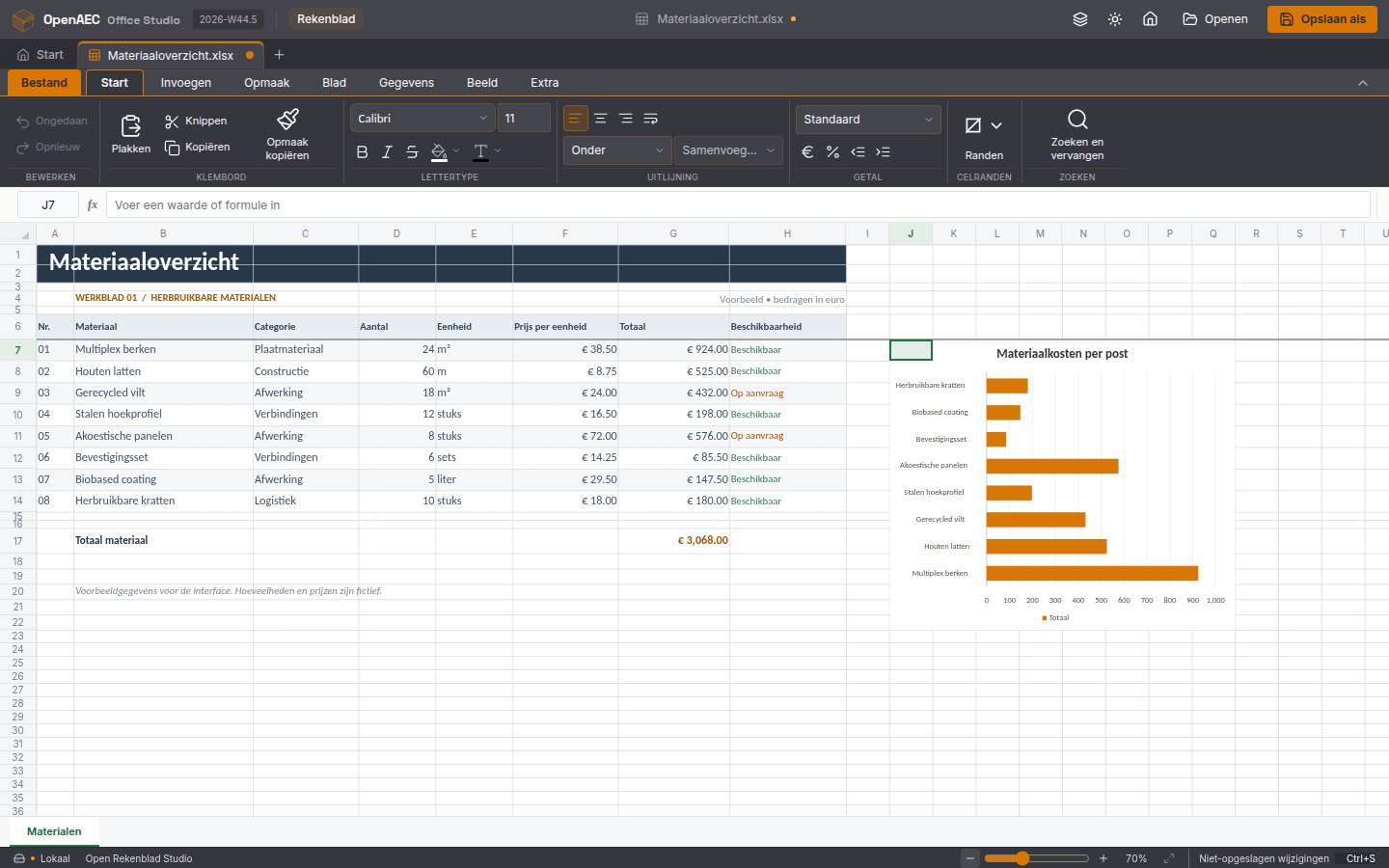
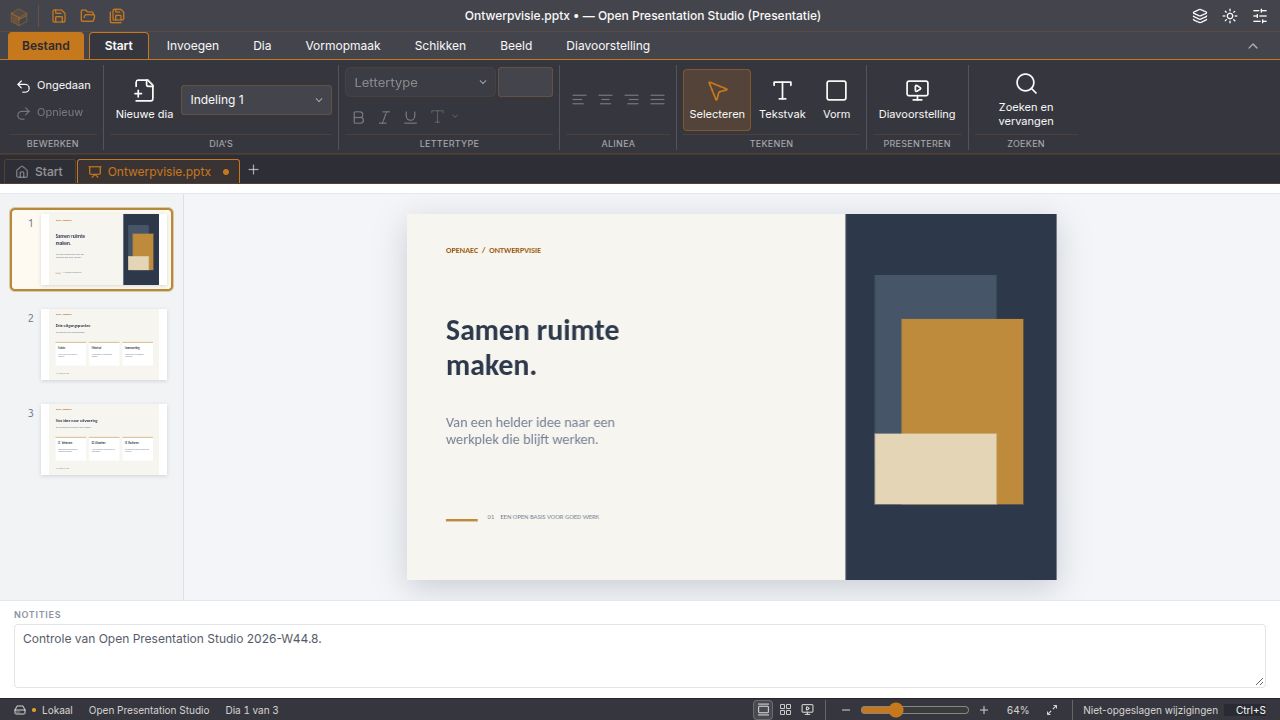
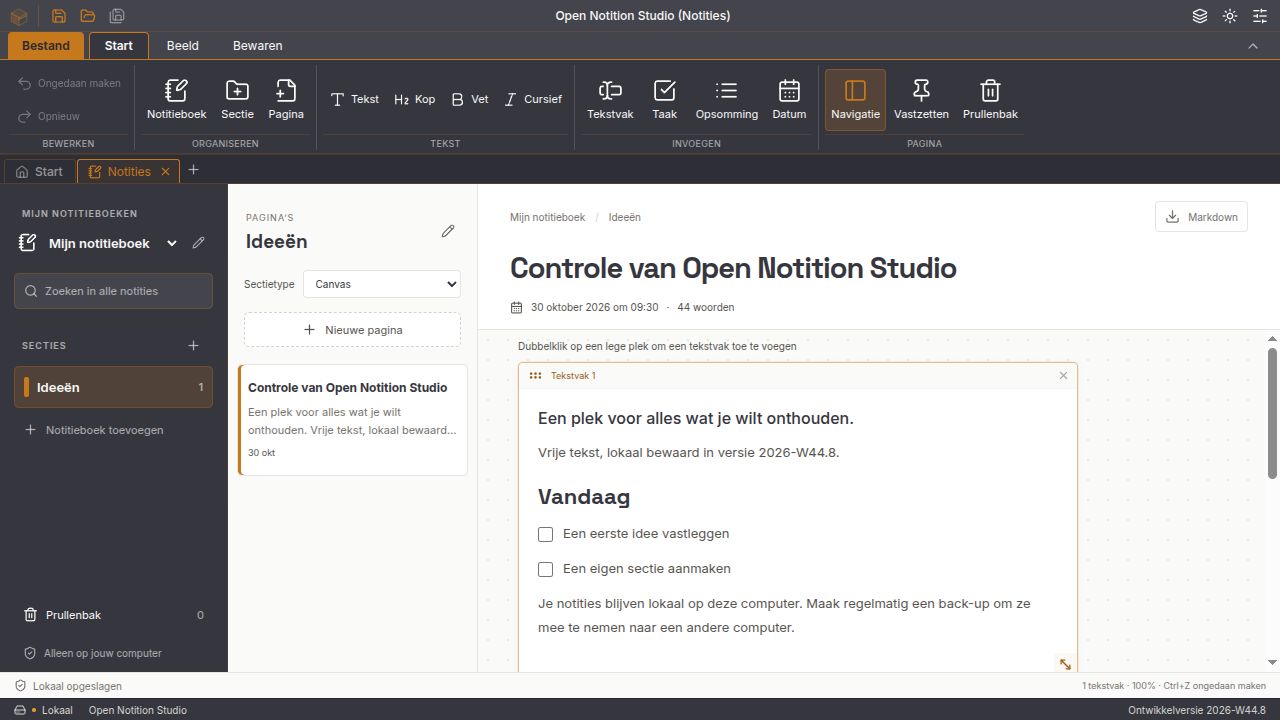
In development: these are development releases, not yet signed off for production work. Test with copies of your files.
Features
Start with the highlights or pick a topic.
01 Documents
Page view, rulers, ribbon and styles. With headers and footers, a table of contents, footnotes, comments, track changes and comparing two versions.
Read more02 Spreadsheet
Formulas, cell formatting, sorting and fill, with eleven chart types. Input like 1,5, € 1.234,50 or 26-10-2026 is recognised as a number or date.
Read more03 Presentation
Slides, shapes, text and speaker notes, and a slideshow from the first or current slide.
Read more04 Notes
Notebooks, sections and pages, saved locally and automatically, with backups. Each section is a free canvas or a Markdown page with preview, tables and task lists.
Read more05 Database
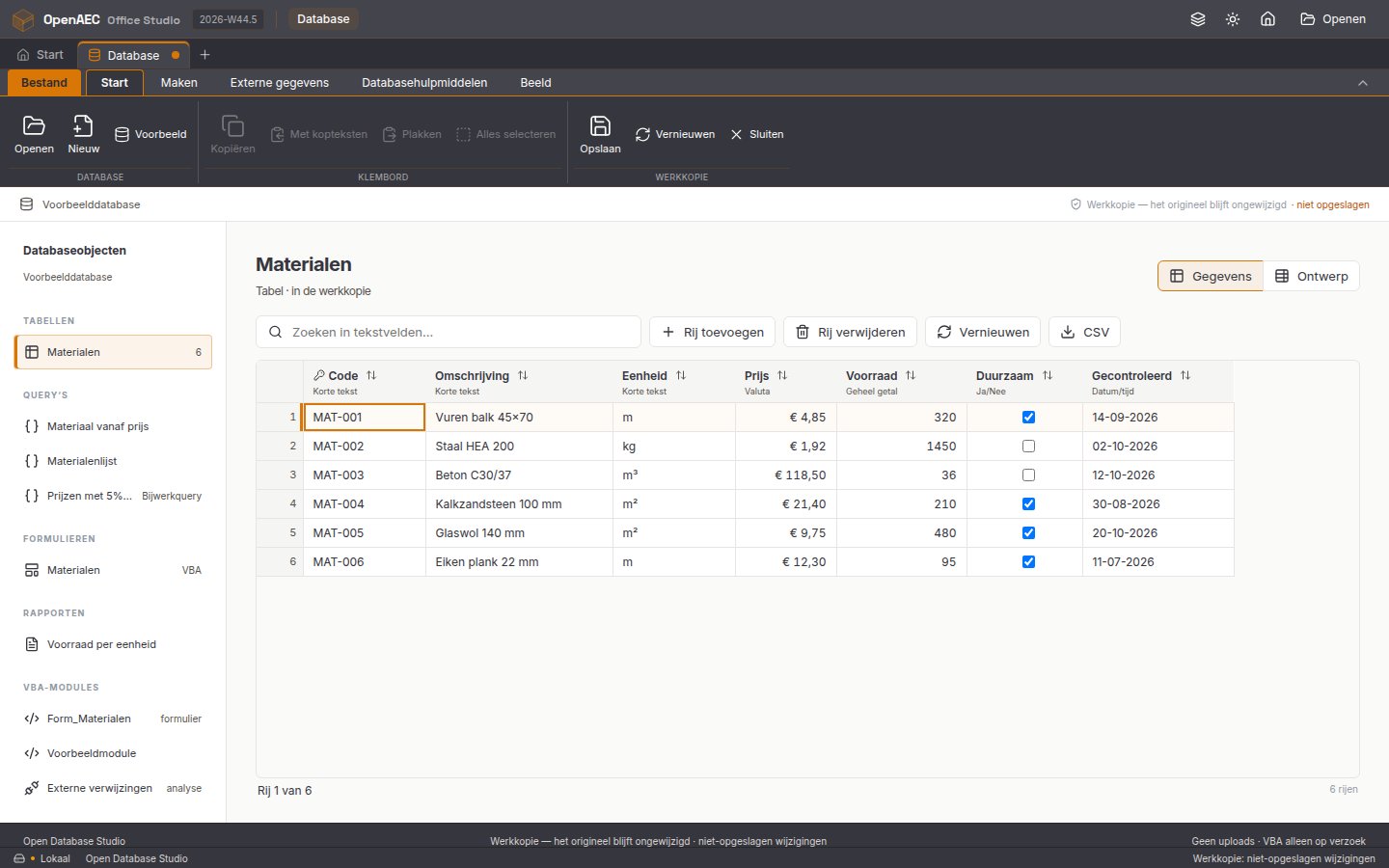
Opens MDB and ACCDB and builds an editable SQLite working copy; the original stays untouched. With tables, queries, simple forms and reports, and a compatibility report per file.
Read more06 Email
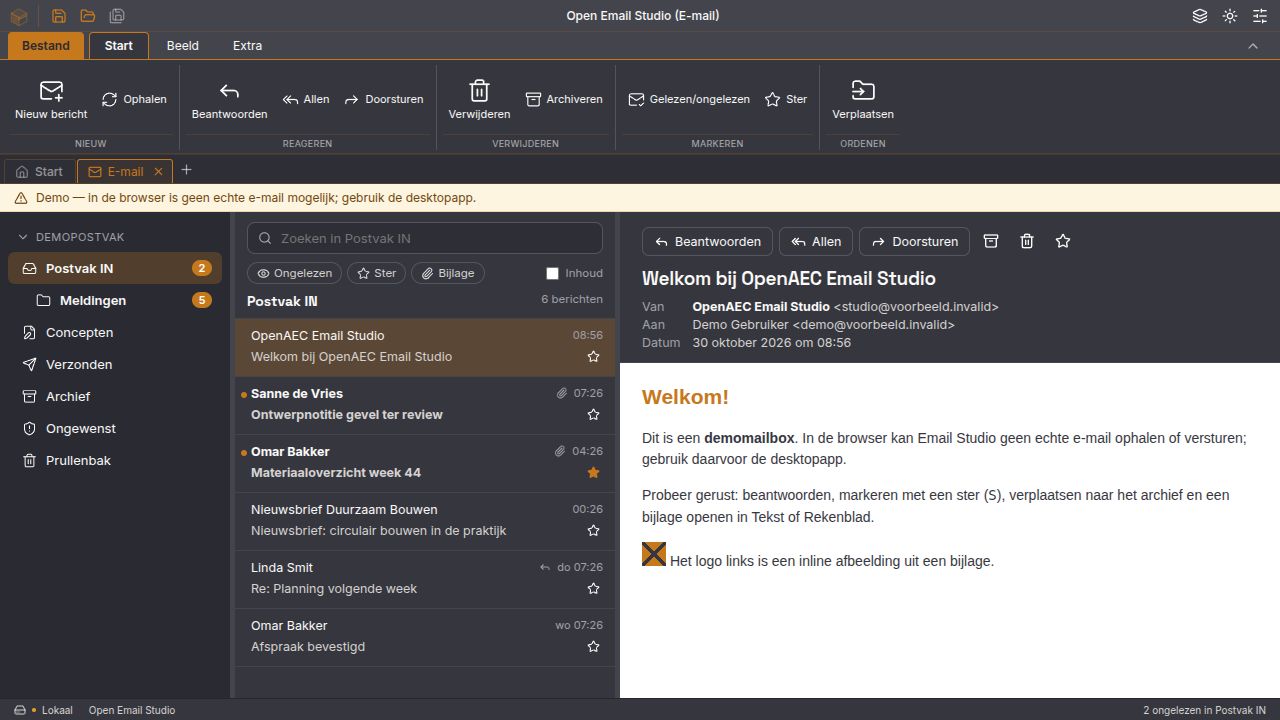
An IMAP and SMTP client with folders, search and attachments. Office attachments open as an editable copy, and any open document can be sent as an attachment. External images stay blocked until you allow them.
Read moreStyle editor, lists, borders, tables, images, sections and columns.
Comments, track changes and comparing two versions.
Import and export, with freeze panes, AutoSum and find and replace.
Insert and edit in documents, spreadsheets and presentations.
Source editor with live preview, tables and task lists, plus import and export.
Through OAuth2, with your own client ID. Server settings are suggested when you add an account.
Runs only after your permission, without COM, Windows APIs or file access. Nothing starts by itself.
Save as SQLite, tables and queries as CSV, and source as SQL or BAS.
Everything in one window; drag a tab out into its own window.
The app itself writes DOCX, XLSX, PPTX, Markdown, HTML and PDF, among others. With LibreOffice also OpenDocument and older Office formats.
Dutch and English with Hunspell dictionaries, suggestions and autocorrect.
Automatic recovery, recent files, print preview and light and dark themes.
Download
Free and without an account. Signed installers for Windows, macOS and Linux.
Open Office Studio is a desktop app. Download it on your computer.
Only need one part? Every app has its own installation and its own profile.
Everything runs on your own computer. Open Office Studio collects no usage data.
New in v2026.44
Next to the full suite there are now six separate apps, each with its own program name and local profile.
The suite, or documents, spreadsheet, presentation, email, notes or database separately.
Authenticode on Windows, notarized by Apple on macOS, OpenPGP on Linux.
The installers register 30 extensions for Office, OpenDocument, RTF and Access.
Over 1,500 frontend tests on each of the three platforms.
Not quite yet. The releases are development releases and not yet signed off for production work. Test with copies of your files and see the known limitations in the release audit on GitHub.
DOCX, XLSX and PPTX directly, CSV and TSV, Markdown, and MDB and ACCDB as an editable copy. For OpenDocument and older Office formats, install LibreOffice as well.
Nothing. Open Office Studio is open source under the Apache-2.0 licence: no licence fees and no account.
On your own computer. There is no telemetry. Network connections are only for what you set up, such as your mail server. Passwords are kept in your operating system’s keychain.
No. Documents, spreadsheet, presentation, email, notes and database also come as separate apps. The suite and a separate app each have their own profile; transfer notes with a backup.
No. Open Database Studio reads MDB and ACCDB itself and works in a SQLite copy; the original file is never written to. Access form designs and macros are inventoried, not executed.
For those who want to know how it is built.
The desktop shell: files, conversion, email, windows and recovery.
The interface with ribbon, editors, charts and printing.
The @betteroffice packages (Apache-2.0) for documents, spreadsheets and presentations.
For Access databases, with a DAO subset.
Spell checking as WebAssembly, with dictionaries from pinned sources.
The same controls and look as the other OpenAEC apps.