Open source image editor

Open Paint Studio

A simple image editor in the spirit of MS Paint, in the OpenAEC house style. Draw, mark up and edit images, keep shapes and text editable as vector objects, and let an AI assistant join in through the API and MCP server.

New · v2026.43.2 Windows · macOS · Linux NL · EN € 0
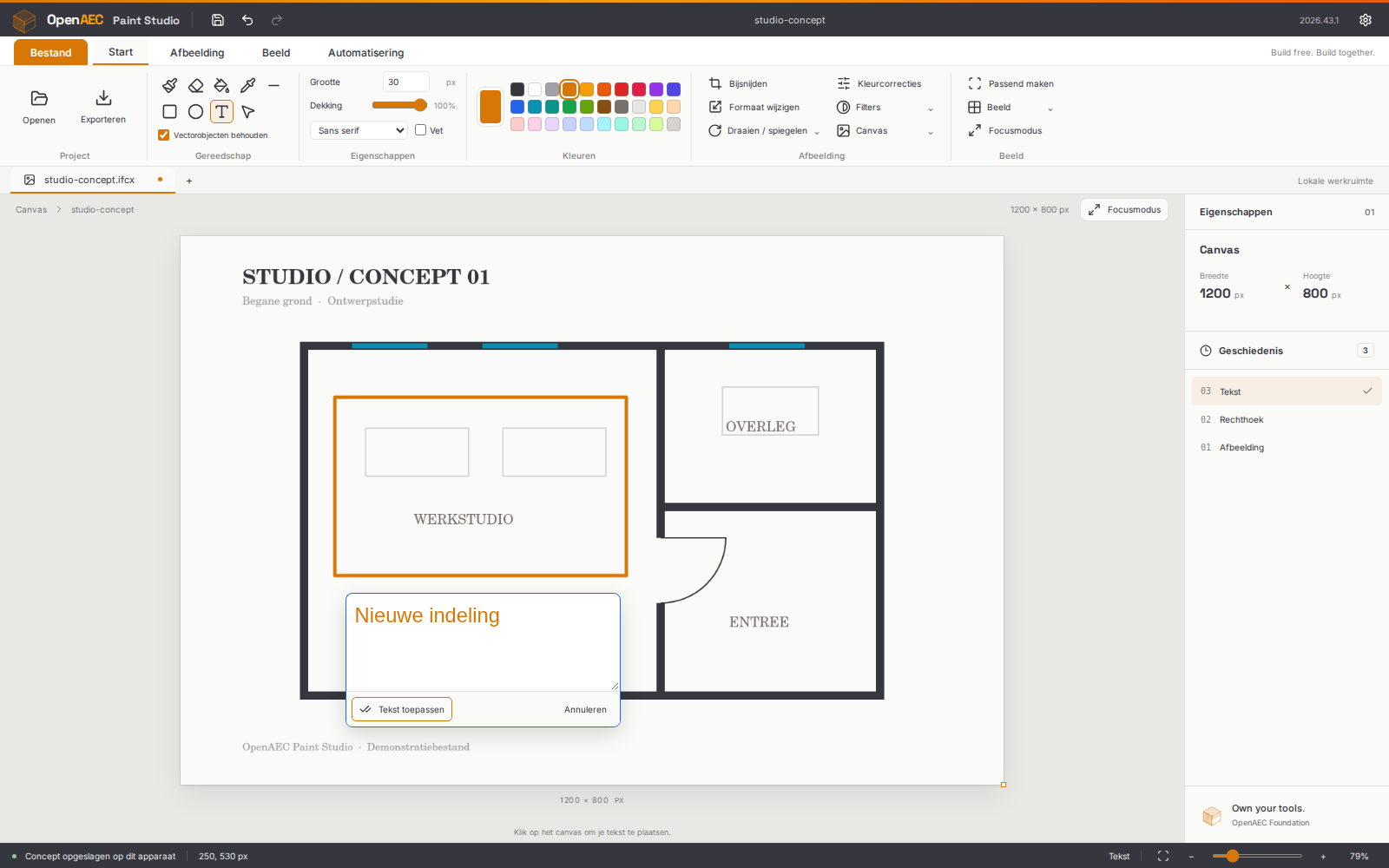
Open Paint Studio - Editor met een geannoteerde plattegrond, tekengereedschap en kleuren in het lint
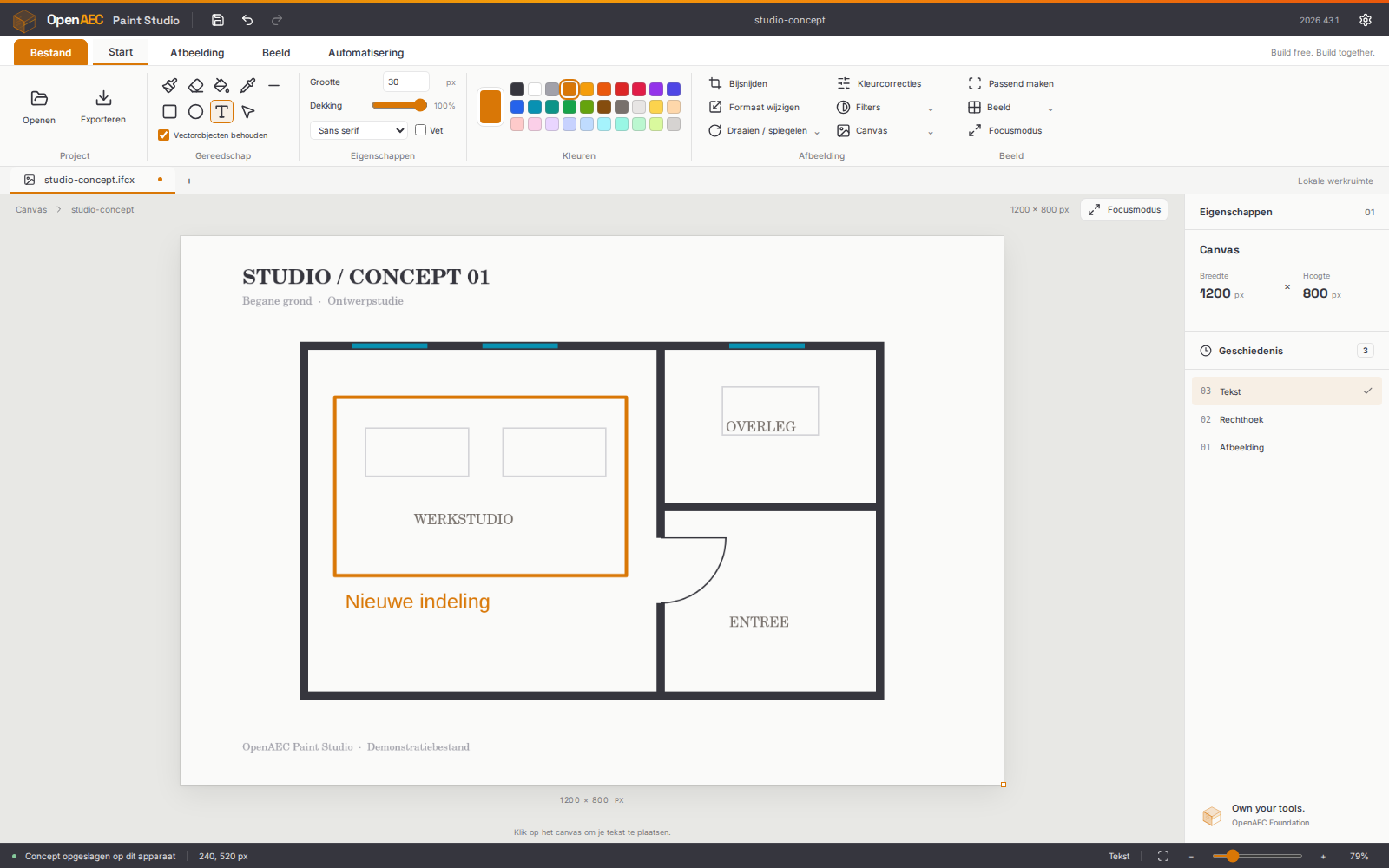
Open Paint Studio - Tekst direct op het canvas bewerken met lettertype en grootte
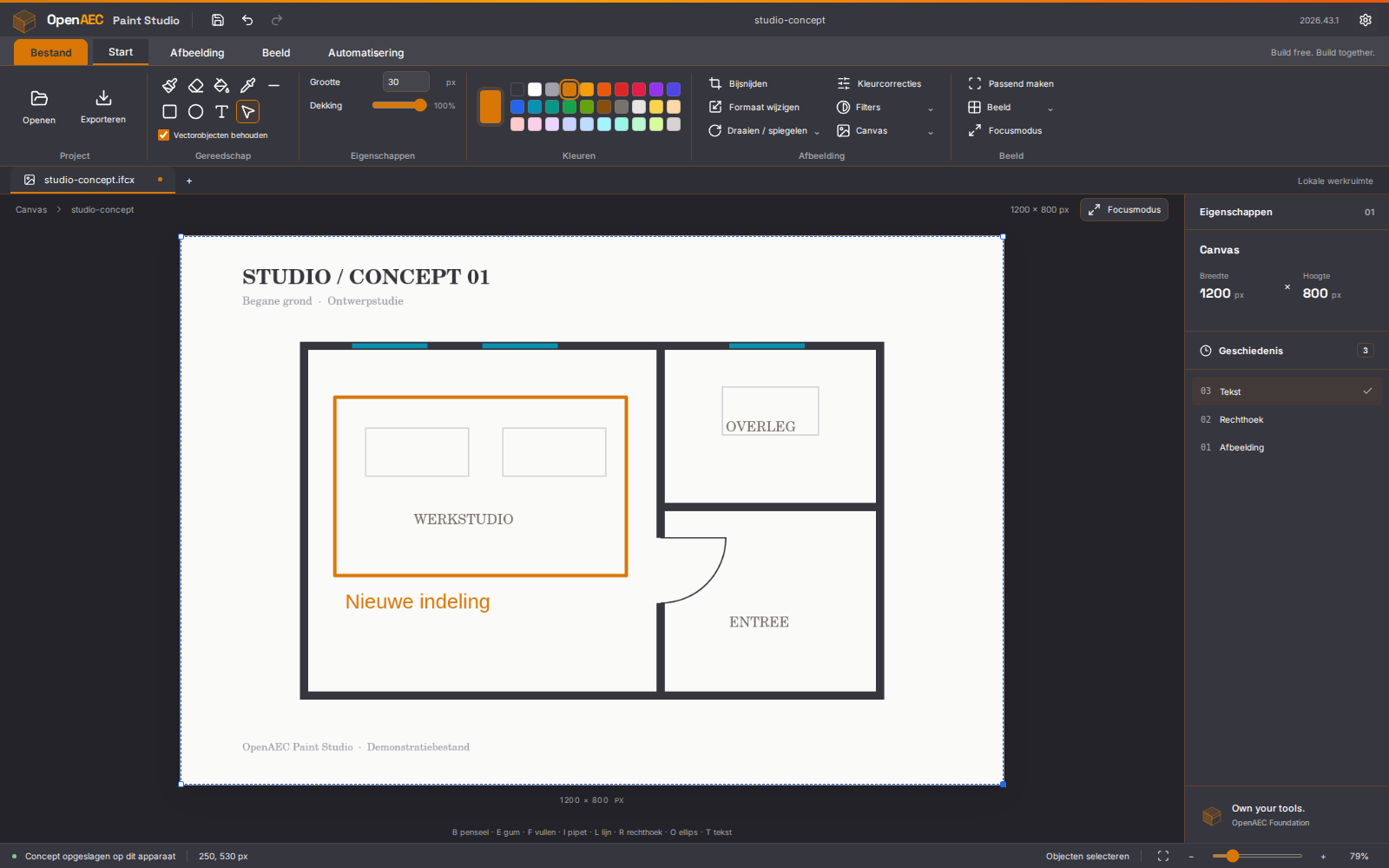
Open Paint Studio - Donker Forge-thema met alle objecten geselecteerd

Download

Windows
Installer (.exe)
Download
macOS
Apple and Intel processors (.dmg)
Download
Linux
Debian, Ubuntu (.deb)
Download
Linux
Any distribution (AppImage)
Download

Why Open Paint Studio?

Marking up a screenshot, sketching a floor plan or cropping a photo does not need a heavy photo editor. Open Paint Studio is light, starts quickly and works without an internet connection.

What you draw stays editable. Move, resize and restyle shapes and text afterwards, and export them as editable SVG.

PNG · JPEG · SVG · PSD · RAW · IFCX

Opens almost any image

The browser reads common images itself; for the rest ImageMagick is built in, as WebAssembly. Everything happens on your own computer.

Features

Drawing

Brush, eraser, fill, eyedropper, lines, rectangles and ellipses, with adjustable size, opacity and a colour palette.

Text on the canvas

Type text straight into the image and pick font and size. The fonts are bundled, so it works offline too.

Editable vector objects

Select, move, resize and restyle drawn shapes and text. Ctrl+A grabs everything at once. Export as editable SVG.

Image editing

Crop, resize, rotate and flip. Vector objects are kept along the way.

Colour corrections

Brightness, contrast, saturation, greyscale, invert and sepia.

Undo and recovery

Undo or redo the last 40 steps, and a draft that is kept when you close the window.

API and MCP

A local API with its own token and an MCP server, so an AI assistant such as Claude can open and edit images.

Five themes, two languages

Light, Forge, OpenAEC, Blueprint and high contrast, in Dutch and English.

Technology

Tauri 2 Rust TypeScript Vite ImageMagick WebAssembly MCP

Runs as a browser app or as a desktop application with Tauri 2. The API and the MCP server are separate Node processes on your own computer. The editor is MIT licensed; the OpenAEC house style is CC BY-SA 4.0.

Open Paint Studio